Can the Wireless WiFi TUYA Access Control System Function Stably in Harsh Outdoor Environments?

The Wireless WiFi TUYA Access Control System is engineered to operate reliably in challenging outdoor conditions, including high temperatures, humidity, and dusty environments. Its robust design and advanced features ensure consistent performance for both residential and commercial applications. Here’s a detailed breakdown of its capabilities and protection levels:
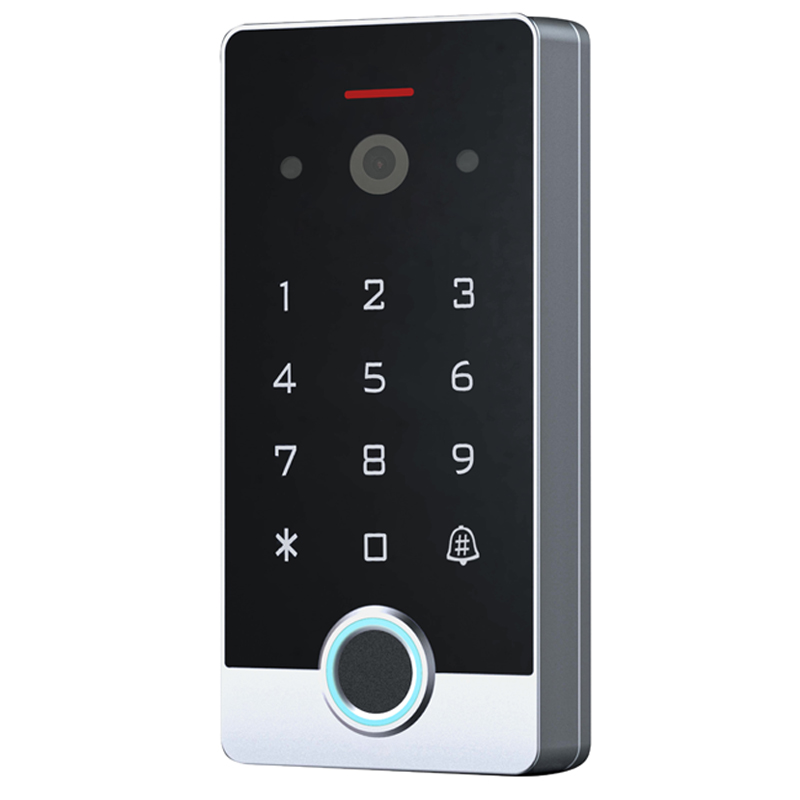
Wireless WiFi TUYA Access Control System
Environmental Stability
Temperature Resistance:

The system is built to withstand extreme temperatures, with most models supporting an operational range of -30°C to +60°C. This makes it suitable for regions with scorching summers or freezing winters.
Humidity Tolerance:It functions seamlessly in environments with 0% to 98% humidity, thanks to its sealed internal components and corrosion-resistant materials.
Dust and Debris Protection:A tightly sealed housing prevents dust ingress, ensuring long-term durability even in construction sites or areas with high airborne particulates.

Protection Level: IP66 Rating
The system holds an IP66 certification, a globally recognized standard for environmental protection:
IP6X (Dust Protection):The highest dust resistance rating, ensuring no particles can penetrate the device.
IPX6 (Water Protection):Withstands powerful water jets from any direction, making it suitable for heavy rain or pressure washing.

Key Features for Outdoor Use
Weatherproof Construction: Zinc alloy or aluminum alloy casings, combined with epoxy encapsulation, protect against rust, UV damage, and physical impacts.
Anti-Pry and Vandal-Resistant: Reinforced screws and durable materials deter tampering, ideal for public spaces.
Multi-Environment Compatibility: Works with various outdoor setups like garages, warehouses, and hotel entrances, supporting doorbell integration and electric locks.


User-Friendly Design
Touch Keypad with Backlight: Easy-to-use even in low-light conditions.
Remote Management via TUYA App: Monitor access logs, grant temporary codes, and control the system from anywhere.
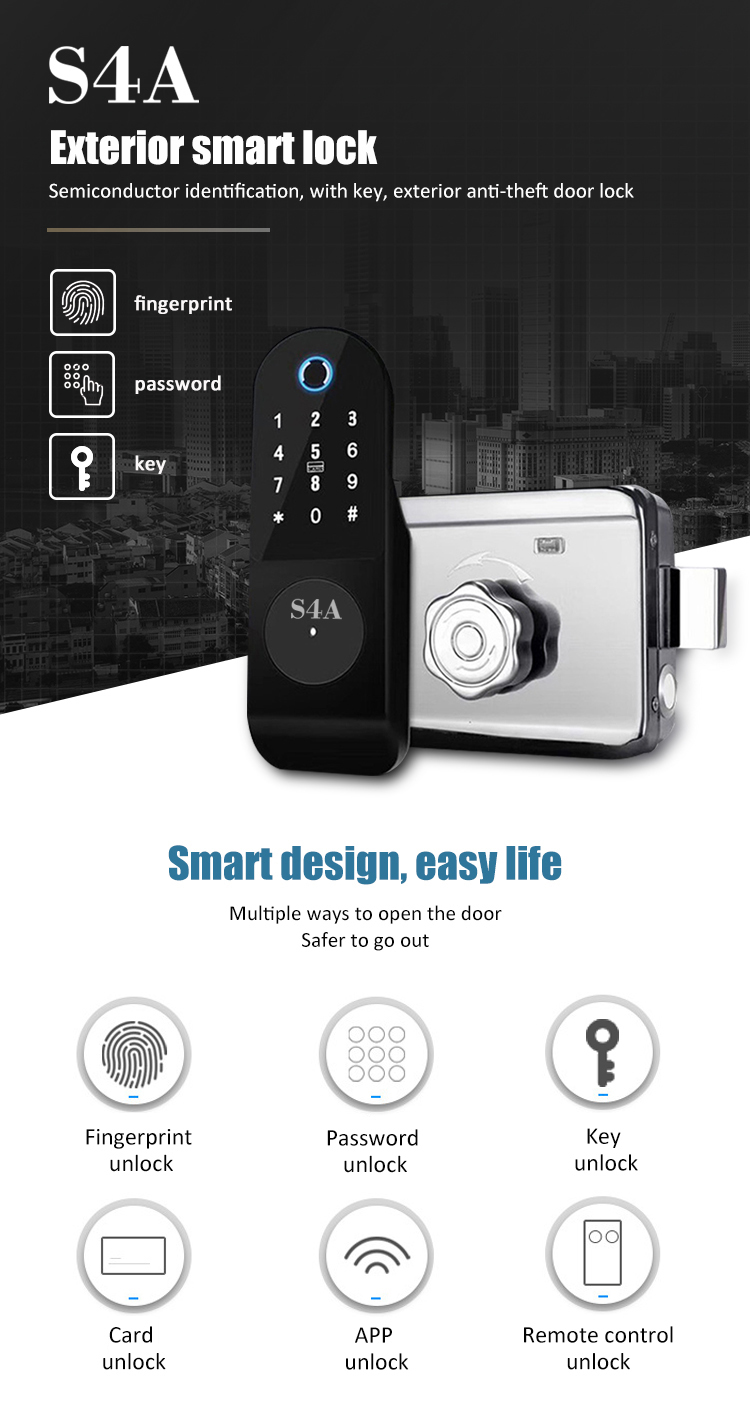
Multiple Unlocking Methods: Supports fingerprint, RFID cards, PIN codes, and app-based access for added convenience.

Ideal Application
From securing residential gates to managing commercial premises, the TUYA system adapts to diverse outdoor scenarios while maintaining high security standards. Its combination of IP66 protection and smart connectivity ensures peace of mind in harsh weather or challenging environments.

For specific model details or installation guidance, consult the product manual or contact our S4A support team.

Independent access control system

Author: Written by Ms.Anna Zhang from S4A INDUSTRIAL CO., LIMITED
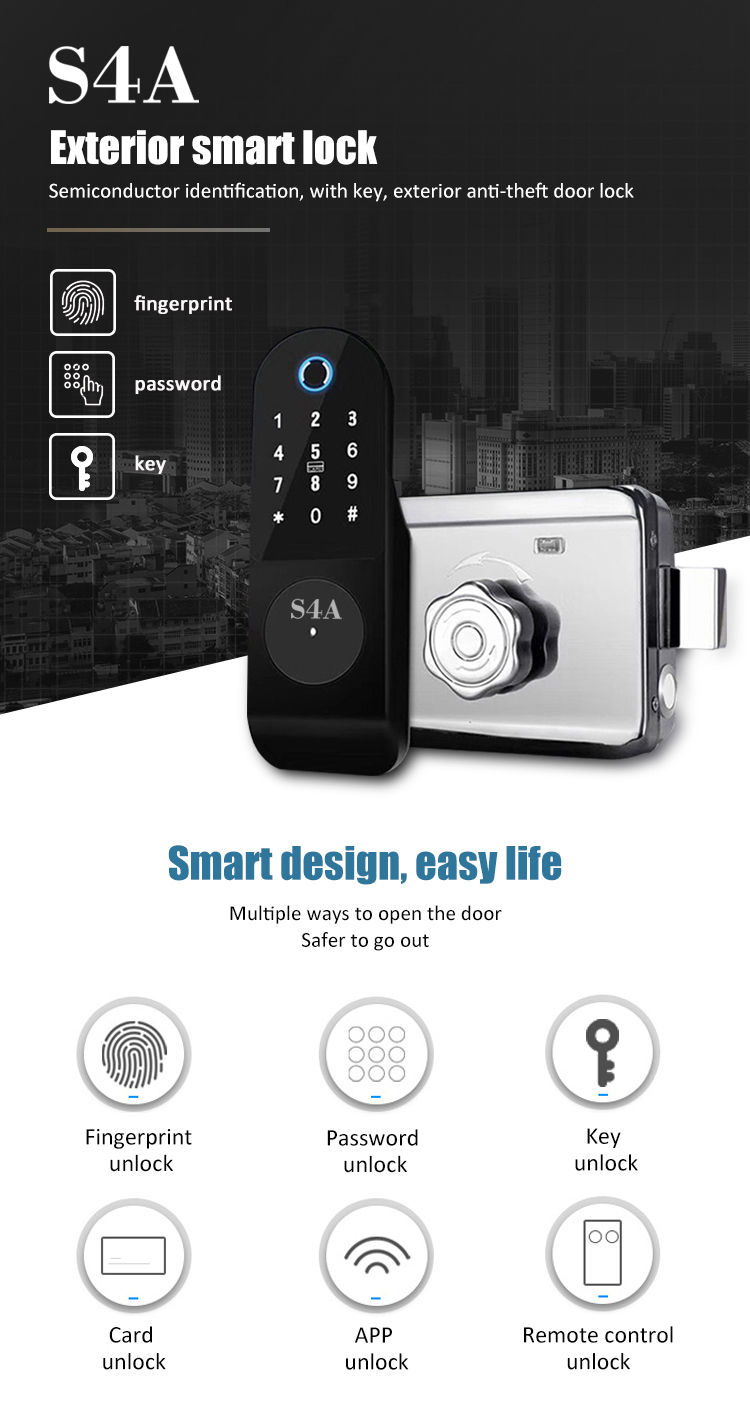
How is the compatibility between the Tuya switch and existing traditional lamps at home? Will problems such as stroboscopic or inability to control occur?


IFinger-S-Tuya

Tuya Switch Compatibility with Traditional Home Lighting:

1. Compatibility Overview

Tuya smart switches are designed to work seamlessly with most standard household lighting systems. Compatibility depends on two main factors:
Lighting Type: LED, incandescent, halogen, and fluorescent bulbs are generally supported
Dimming Requirements: Non-dimmable switches work with all bulb types, while dimmable models require compatible bulbs
2. Common Compatibility Scenarios
A. Standard LED/Incandescent Bulbs
Plug-and-play operation with Tuya smart switches
No flickering issues when within the switch's rated load (typically 100-2000W)
Example: A 60W incandescent bulb works perfectly with a Tuya single-pole switch
B. Dimmable Lighting Systems
Dimmable switches require:
Dimmable LED bulbs (look for "Tuya compatible" labeling)
Proper voltage matching (120V/230V systems)
Avoid mixing bulb types on the same circuit
C. Fluorescent Lighting
Electronic ballast systems are fully compatible
Magnetic ballasts may cause:
Flickering at low brightness levels
Reduced switch lifespan
Recommend using Tuya non-dimmable switches
D. Specialty Lighting
Low-voltage systems (12V/24V) require additional transformers
Three-way circuits need specific smart switch configurations
3. Potential Issues & Solutions
A. Flickering Lights
Causes:
Bulb wattage below the switch's minimum load (e.g., <10W LED)
Incompatible dimming technology
Loose wiring connections
Solutions:
Add a load resistor for low-wattage bulbs
Use Tuya-certified dimmable bulbs
Check wiring integrity
B. Unresponsive Switches
Troubleshooting Steps:
Verify proper voltage supply (100-240V AC)
Reset the switch and re-pair with the Tuya app
Update firmware to the latest version
Test with a different bulb type
C. Partial Control
Common Scenarios:
Only one bulb in a multi-fixture setup works
Wall switch operates but app control fails
Solutions:
Ensure all bulbs are Tuya-compatible
Check for neutral wire connections in smart switches
Disable "scene mode" conflicts in the app
4. Installation Best Practices
Wiring Requirements:
Standard 3-wire (live/neutral/load) for most switches
Neutral wire necessary for smart functions
Professional Installation Recommended:
For complex circuits (3-way, 4-way)
When modifying older wiring systems
For commercial lighting installations
5. Verification Process
Check Compatibility Before Purchase:
Use the Tuya Compatibility Checker on our website
Look for the Works with Tuya badge on bulb packaging
Refer to the switch manual's "Supported Bulbs" section
6. Recommended Products
Best for General Use: Tuya Single-Pole Smart Switch (TS011F)
Ideal for Dimmable LEDS: Tuya Zigbee Dimmer Switch (TS0201)
Outdoor Lighting: Tuya Weatherproof Smart Switch (IP66 rating)
7. Warranty & Support
All Tuya switches come with a 2-year warranty
Technical support available via:
24/7 live chat on www.s4a-access.com
Email support at sales@s4a-access.com

Local authorized service centers


By following these guidelines, users can enjoy seamless integration of Tuya smart switches with their existing lighting systems. For optimal performance, always pair Tuya switches with recommended bulbs and follow proper installation procedures.

IFinger-S-Tuya

Author: Written by Ms.Anna Zhang from S4A INDUSTRIAL CO., LIMITED

Is the installation of the Tuya Exit button complicated? Can ordinary users complete the installation by themselves? What are the precautions during the installation process?

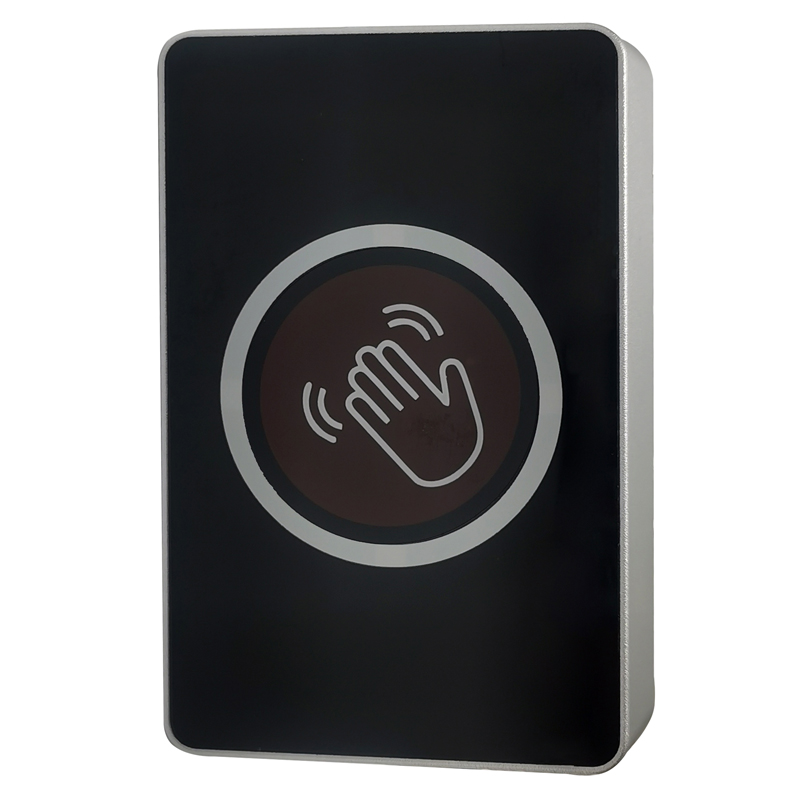
Tuya WiFi Door Exit Button

Installing the Tuya Exit Button: A Guide for Regular Users
1. Installation Complexity

The Tuya Exit Button is crafted for straightforward installation. Regular users can put it in place without the need for professional help.

The installation process typically consists of these steps:

Mounting the Button: You can use screws or adhesive to attach the button to a wall or door frame.
Connecting Wires: It involves making connections to the access control device or door strike.
Testing the Functionality: Ensuring that the button can unlock the door as intended.
2. DIY Installation Feasibility
Yes, most users can install it on their own by following these steps:
Gather Necessary Tools: You'll need a screwdriver, wire strippers, and a voltage tester.
Refer to the Manual: The included manual offers clear, step - by - step instructions.
Understand the Wiring: It usually has two wires for triggering the door release.
3. Installation Precautions
A. Electrical Safety
Turn Off the Power: Before starting the installation, disconnect the power supply to the access control system.
Check the Voltage: Make sure the voltage matches the requirements of the exit button.
B. Proper Wiring
Avoid Short Circuits: Use wire connectors to insulate the exposed parts of the wires.
Label the Wires: Clearly mark the wires according to the system diagram.
C. Physical Installation
Choose the Right Location: Install the button at a height of 1.2 - 1.5 meters for easy access.
Ensure Stability: Secure the button firmly to prevent it from shaking or coming loose.
D. Waterproofing (for Outdoor Use)
Use Sealants: Apply silicone sealant around the edges of the button if it's going to be installed outdoors.
Opt for IP66 Models: Select weatherproof models for outdoor installations.
E. System Compatibility
Verify Compatibility: Confirm that the exit button is compatible with your Tuya access control system.
Update Firmware: Keep the firmware of the access control panel up - to - date.
4. Troubleshooting Tips
Non - Responsive Button: Check the wiring connections and the power supply.
Intermittent Operation: Tighten the screws and clean the contact points.
Unexpected Locking: Review the system settings for any anti - passback configurations.
5. When to Seek Professional Help
Complex Systems: If you're dealing with multi - door systems or advanced access control setups, it's best to consult a professional.

Warranty Concerns: Improper installation may void the warranty, so seek professional help if you're unsure.


Why Select Tuya Exit Buttons?

User - Friendly Design: The intuitive layout simplifies the installation process.
Versatile Compatibility: It can work with various Tuya access control devices.

Durable Construction: Made from flame - retardant materials, ensuring long - lasting use.


By following these guidelines, you can safely and efficiently install the S4A Tuya Exit Button and enjoy seamless access control. For more detailed information, visit S4A factory's Installation Guide or get in touch with S4A support team.

Author: Written by Ms.Anna Zhang from S4A INDUSTRIAL CO., LIMITED
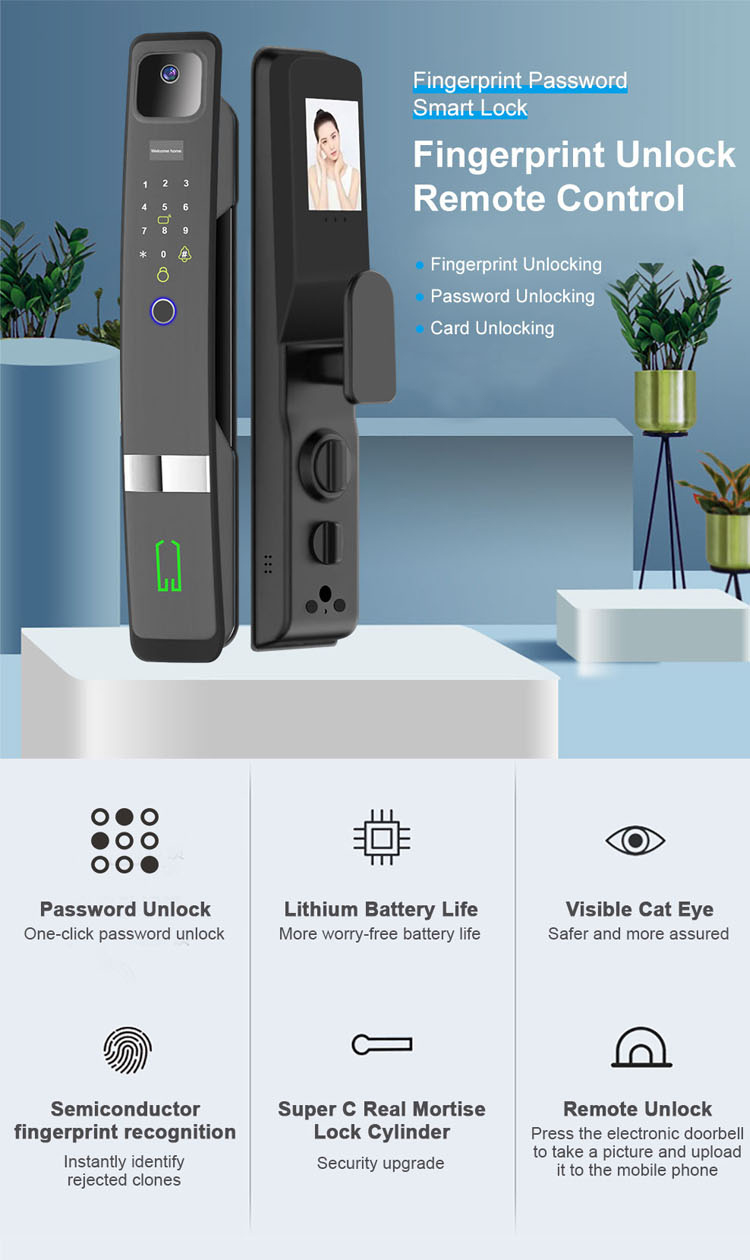
What are the fingerprint recognition speed and accuracy of the Tuya WiFi Smart Door Lock? And what is the approximate failure rate of recognition?


Smart Door Lock

1. Fingerprint Recognition Speed

Tuya fingerprint door locks deliver ultra-fast authentication designed for everyday convenience:

Typical Recognition Time: 0.3 - 0.5 seconds
Comparison:Faster than the average human blink (≈0.3 seconds)
Technology:Advanced optical or semiconductor sensors combined with neural network algorithms
2. Recognition Accuracy
Tuya uses industry-leading biometric standards to ensure reliability:
False Acceptance Rate (FAR):< 0.001% (1 in 100,000 chance of unauthorized entry)
False Rejection Rate (FRR):< 0.1% (1 in 1,000 chance of legitimate user denial)
Certifications:Compliant with FBI PIV and ISO/IEC 19794 standards
3. Recognition Failure Rate
The system's failure rate depends on:
Finger Condition: Wet, dirty, or scarred fingers may reduce accuracy
Environmental Factors: Extreme temperatures (-30°C to +60°C) or direct sunlight
Sensor Type: Semiconductor sensors outperform optical models in challenging conditions
Mitigation Strategies:
Dual Authentication: Combine fingerprint with PIN or card access
Alternate Unlocking Methods: Backup keys, app control, or temporary codes
Sensor Maintenance: Regular cleaning with a microfiber cloth
4. Key Performance Features
Liveness Detection: Prevents fake fingerprints (gel/film)

Multi-Position Recognition: Works with partial or angled scans

Adaptive Learning: Improves accuracy over time with repeated use

5.Real-World Performance Comparison

Scenario

Success Rate

Notes

Clean, dry fingerprints

99.9%+

Optimal conditions

Wet fingers

98.5%

Advanced moisture resistance

Cold environments

97.2%

-10°C tested performance

Children's fingerprints

96.8%

Smaller fingerprint patterns

6. Installation & Maintenance Tips

Sensor Placement: Install at 1.2 - 1.5m height for comfortable access
Avoid Direct Sunlight: Use protective covers for outdoor models
Firmware Updates: Regular updates enhance recognition algorithms
7. Why Choose Tuya Fingerprint Locks?
Industry-Leading Warranty: 3-year coverage on fingerprint modules
Global Testing: Certified for 1,000,000+ successful operations
User-Friendly Design: Simple enrollment (<10 seconds per fingerprint)
8. Customer Support
24/7 Technical Assistance: Available via phone, email, and live chat
Online Resources: Detailed troubleshooting guides on S4A-ACCESS Support Portal
Replacement Service: Fast turnaround for defective sensors


For most users, Tuya fingerprint locks provide reliable, secure access with minimal failures. For high-security environments or frequent extreme conditions, consider pairing with additional authentication methods for maximum protection.

Smart Door Lock

Author: Written by Ms.Anna Zhang from S4A INDUSTRIAL CO., LIMITED

When the battery level of the Tuya Smart Lock Door Fingerprint Lock is low, what reminder methods are there? Does it support emergency charging? And where is the emergency charging interface?

Waterproof Exterior Iron Door Fingerprint Lock

Tuya Smart Lock Door Fingerprint Lock: Low Battery Alerts & Emergency Charging Guide
1. Low Battery Reminder Methods
Tuya smart fingerprint door locks use multiple intuitive alerts to notify users of low battery levels:

Visual Indicator: A rapid red light flash activates when battery capacity drops below 20%
Audible Alarm: An intermittent beeping sound will trigger
App Notification: Both Tuya Smart and Smart Life apps send push alerts to administrators
Voice Prompt: Some models include voice reminders in multiple languages
These redundant systems ensure users receive timely warnings even if the lock is installed in noisy or low-traffic areas.
2. Emergency Charging Capability
All Tuya fingerprint locks support emergency charging to prevent lockouts:
Power Source: Any standard 5V USB power bank or phone charger can be used
Charging Time: Typically provides enough power for 10-15 unlocks after 5-10 minutes of charging
Compatibility: Works with all major battery types (AA, AAA, CR123A)
This feature ensures access continuity even in unexpected situations like complete battery depletion.
3. Charging Port Location
The USB charging interface is strategically placed for easy access:
Handle-Mounted: Most models feature a discreet port at the base of the door handle
Side Panel: Some slimline designs locate the port on the lock's side panel
Weatherproof Protection: Outdoor-rated models include rubber seals to protect against water ingress
Always use the provided rubber cover to maintain IP ratings after charging.
4. Proactive Battery Management Tips
To maximize battery life:
Replace batteries when the 20% alert triggers
Use high-quality alkaline batteries (not rechargeable)
Enable power-saving mode in the app settings
Avoid frequent unnecessary app connections
Regularly clean the fingerprint sensor to reduce recognition attempts
5. Model-Specific Notes
USB Port Type: Newer models use USB-C (check product specifications)
Battery Capacity: Average lifespan ranges from 8-18 months depending on usage

Backup Key: All models include a mechanical key override as standard


For exact specifications, refer to your lock's user manual or check the product page on Tuya's official website. The combination of multi-modal alerts, emergency charging, and intuitive design ensures reliable operation even in.

Waterproof Exterior Iron Door Fingerprint Lock

Author: Written by Ms.Anna Zhang from S4A INDUSTRIAL CO., LIMITED
What factors should be considered when buying a home theater AV amplifier?

(Appearance and Function)

Remove all the packaging, and finally see the host. The intuitive feeling is that the material is heavy, the front panel is a very thick metal plate, the surface is brushed, and there are three rows of cooling holes on the top, but it does not reduce the strength of the fuselage much, and it feels solid and stable.

The overall feeling is that it has more of a tonewinner professional power amplifier taste than a home machine, but it is more refined than a professional power amplifier.

There are two huge knobs on the front panel, which look dazzling silver, but it is made of aluminum alloy + plating, and it feels bad to use, and it does not have a good sense of heaviness and damping. The left is the K-song microphone volume adjustment knob, the right is used to adjust the music volume, and in theater mode, it manages the total volume.

In addition, this button can also be pressed in and used as a menu button and an OK button. In the absence of a remote control, with the following row of buttons, various functional operations can be realized on the machine.

Below the volume knob is a USB interface, which can be used to plug in a U disk or a mobile hard disk to listen to music.

The position of the bottom heat sink is a large heat dissipation hole, and the heat dissipation requirement of high-power amplification is relatively high.

Four foot pads with shock-absorbing foam, very strong and stable.

Looking at the back of the amplifier, the functional division is also very clear, which is much simpler than the dense interface of Japanese power amplifiers. The upper left is the front output interface of the RCA lotus head. For example, if you have a multi-channel power amplifier, you can connect it to achieve 11-channel 7.1.4 atmos sound effect.

Next is the XLR signal input interface, and to the right there are coaxial and optical digital signal inputs, which can be used according to the front-end equipment. Of course, the input and output of the HDMI interface are basically solved in the cinema, and these analog interfaces can only be used for listening to music.

The middle row is the HDMI input and output interface, 6 inputs and 2 outputs. Blu-ray players, set-top boxes, game consoles, etc. can be connected in any way, and the two outputs can be connected to TVs and projectors respectively, which can be said to be tailor-made for living room use.Below is a row of speaker binding posts, corresponding to 7 channels. Please keep in mind that our binding posts are designed symmetrically, unlike those of Japanese brands that are arranged L,R,C,LS,RS...from left to right.


- tags:

evaporative air cooler china

Evaporative air cooler maintenance and cleaning procedures:

1, Before maintenance: Please check if there are any obstructions around the unit and at the air intake, and clean up any fallen leaves or dust around.

2,Unit periodic maintenance: After the unit has been running for 6 to 8 months, if the tecocooling cooling pad, filter blocks or chassis become too dirty, they should be cleaned promptly to prevent machine malfunctions.

3, unit maintenance: (long time not use, remember to drain water and cut off the power!) In order to prevent freezing damage to the body and the breeding of mosquitoes, when it is stopped for a long time, the tap water should be turned off, then press the "Drain" button to drain the water and cut off the power supply.

4, the internal cleaning of the unit: if the unit runs for a long time, in order to ensure the refrigeration effect, it is necessary to clean the machine once every two quarters. (This is determined based on the local environment and water quality.)


Maintenance and cleaning steps are as follows:

(1) Remove the cooling pad

    1. Remove the cooling pad buckle first.

    2. Hold the side panel of the upper part of the cooling pad in hand, pull the cooling pad gently outward and then lift it slightly upward to remove the cooling pad.

    3, wash the cooling pad from the inside out with clean water (note: do not use acid or alkaline cleaning detergent to clean the laundry cooling pad)

    4, filter: It is recommended that the filter can be removed and cleaned  once every 1-2 seasons (based on the local environment).

(2) Cleaning of cooling pad distributor.

    1, if the hole on the cooling pad distributor is blocked, it can be pierced with a wire.

    2, clean the stains on the cooling pad distributor with clean water.

(3), chassis and accessories cleaning.

    1. Clean the chassis: clean the chassis with a soft cloth or brush.

    2, clean the wind leaf: wipe the wind leaf with a soft cloth. Be careful not to drop dust from the blades into the duct.

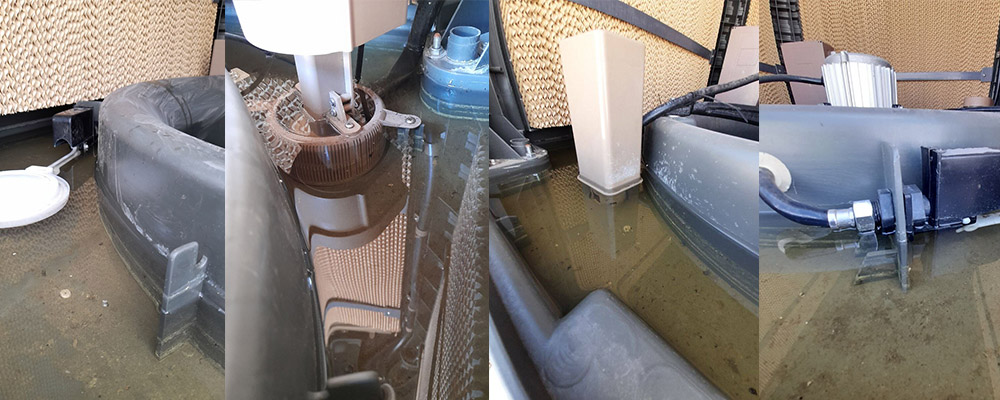
    3. Clean the water level sensor: clean the dirt on the water level with a wet cloth.

    4, clean the pump: use a brush to clean the water pump and the dirt on the filter net.

    5, clean the drainage valve: pay attention to the dirt at the bottom of the drainage valve.

Note: When cleaning the unit, it must be shut down and turn off the power supply, otherwise there will be a risk of electric shock or other injuries to the human body. When working at height, you must wear a safety belt and do a good job of safety.

Tips: In order to ensure the safety of air conditioners in winter, turn off the water valve, turn off the power supply, clean the water storage pan thoroughly, and discharge clean, and then shut down and cut off the power supply.


In the global digital signage and display industry, businesses face different challenges when sourcing equipment: logistics costs, tariff implications, local assembly capabilities, and customization needs. CNLC understands that one size does not fit all. That’s why we provide three flexible delivery models—CBU, SKD, and CKD—to meet diverse client requirements across international markets.

Whether you are a distributor, system integrator, or OEM partner, understanding these models will help you select the best solution for your business.


What Are CBU, SKD, and CKD in the Display Industry?

  • CBU (Completely Built-Up): Fully assembled, ready-to-use products shipped directly from the factory

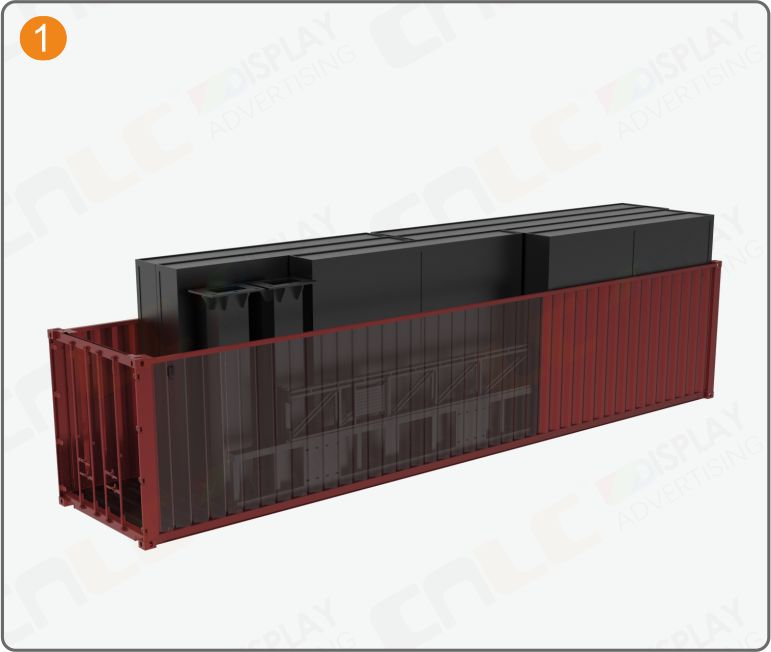
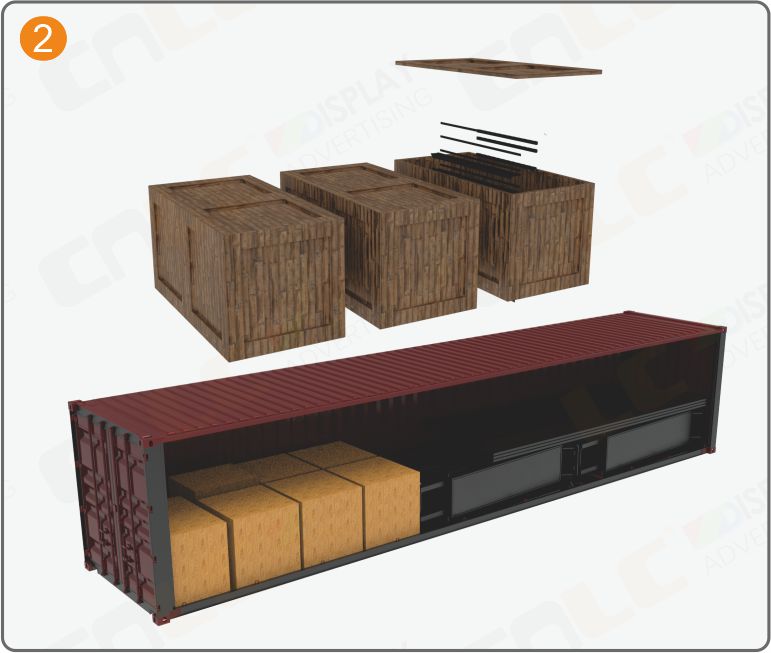
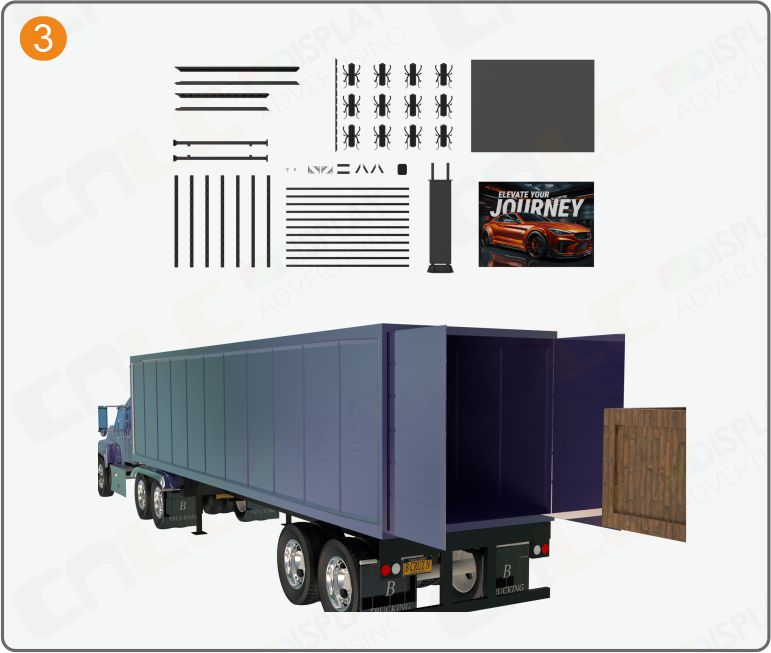
  • SKD (Semi Knocked Down): Semi-assembled kits requiring partial assembly at the destination

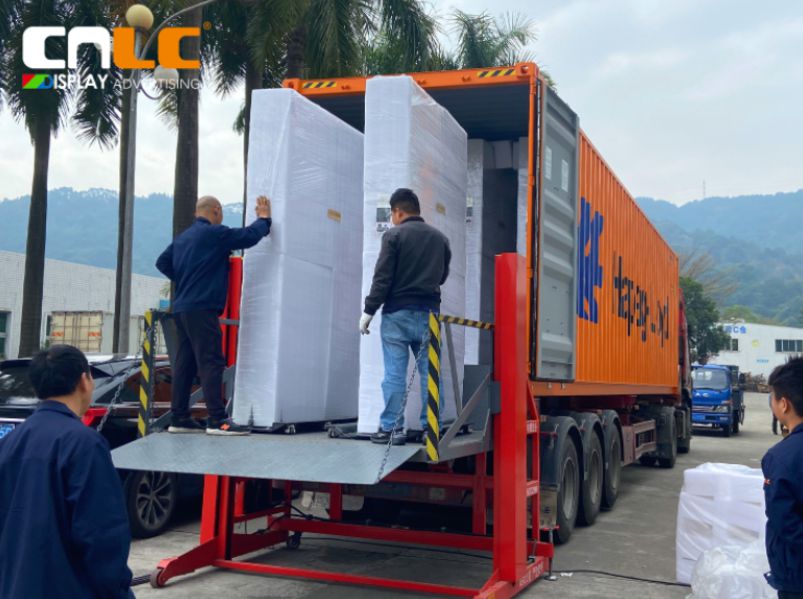
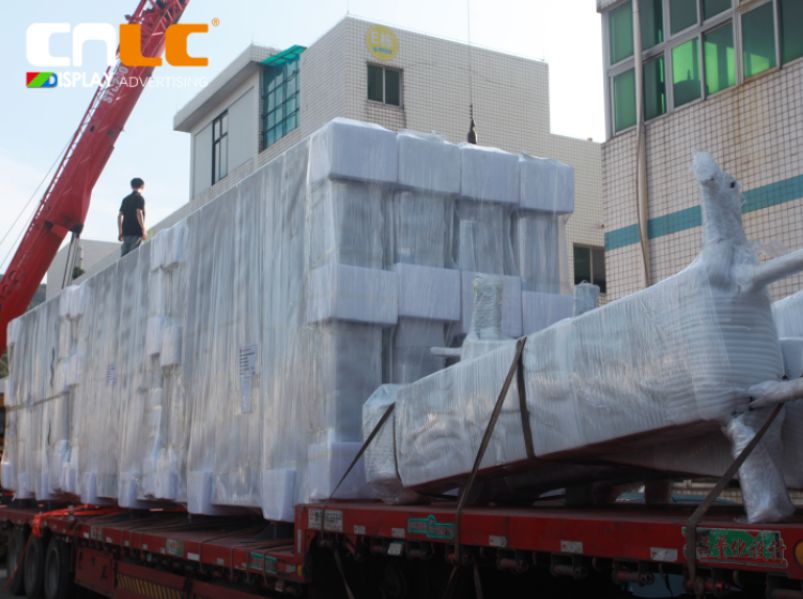
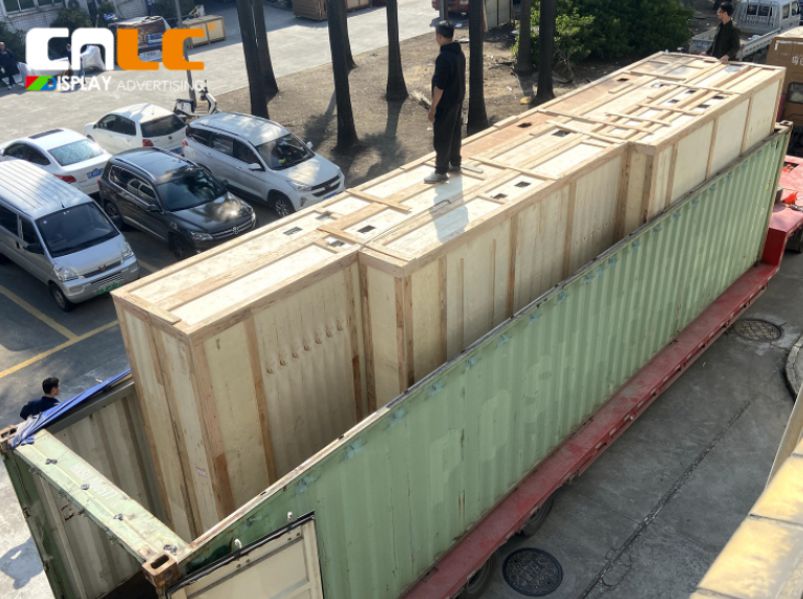
  • CKD (Completely Knocked Down): Full component kits shipped unassembled, enabling complete local assembly

Each model offers different benefits in terms of cost, logistics, customization, and technical involvement. Let’s explore them in detail.


1. CBU – Completely Built-Up: The Turnkey Solution

The CBU model is ideal for clients who need ready-to-install products with zero technical complexity. CNLC provides fully assembled LCD displays, LED screens, and light box solutions that meet global standards for durability, brightness, and outdoor performance.


Who Chooses CBU?

  • Global distributors who prioritize speed and convenience

  • Retail solution providers needing plug-and-play digital signage

  • Projects requiring small-batch customization with short lead times


Key Benefits of CBU

✔ Complete product delivered, ready for immediate installation
✔ Superior quality control under factory conditions
✔ Optional custom designs for unique branding or project needs

Example Use Case: A retail chain launching 50 stores across Europe needs consistent, high-quality digital signage delivered within a tight timeline. The CBU model ensures uniform standards and rapid deployment.


2. SKD – Semi Knocked Down: The Smart Balance

The SKD model is a popular choice for system integrators, engineering companies, and regional assembly partners. Under SKD, CNLC provides the structural framework, housing, and key mechanical parts, while the client sources specific components—such as LG LCD panels or specialized LED modules—locally.


Why SKD?

  • Reduces shipping costs due to optimized packaging

  • Helps minimize import duties in certain regions

  • Offers flexibility in component selection


Best For:

✔ Businesses with basic assembly capabilities
✔ Companies seeking cost-efficiency without compromising quality
✔ Markets where local labor and parts are affordable and accessible

Example Scenario: A digital signage integrator in the Middle East sources LG LCD panels locally while importing SKD kits from CNLC. This approach saves on logistics and complies with local regulations.


3. CKD – Completely Knocked Down: Maximum Control for OEMs

The CKD model is designed for OEM partners and local manufacturers who aim to establish full-scale assembly operations in their home country. CNLC supplies all components, along with technical documentation, assembly training, and production support.


CKD Package Includes:

✔ Complete component sets
Assembly guides and engineering support
✔ Optional on-site training for local teams
✔ Assistance with machinery setup and quality assurance


Advantages:

  • Enables full local manufacturing

  • Reduces overall logistics and tariff costs

  • Ideal for large-scale or long-term projects requiring local compliance

Example: A partner in South America sets up a factory to assemble 1,000 units annually using CKD kits from CNLC. This model maximizes cost efficiency and strengthens their local supply chain.


How to Choose the Right Model for Your Business?

Model Assembly Level Ideal For Key Benefit
CBU Fully Assembled Distributors, retailers Plug-and-play solution
SKD Semi-Assembled Integrators, engineering firms Cost savings & flexibility
CKD Fully Disassembled OEMs, factories Local production & scalability


Why CNLC?

With over 18 years of experience in the display industry, CNLC specializes in high-brightness LCD digital signage, LED billboards, and outdoor light box solutions. Our manufacturing facilities in Guangzhou use precision-molded aluminum structures and cutting-edge technology to deliver durable, customizable, and globally compliant products.

When you partner with CNLC, you gain:

  • #
  • #
  • #


Conclusion

Choosing between CBU, SKD, and CKD depends on your business size, market strategy, and operational capabilities. CNLC is here to help you select the most efficient solution, whether you need a turnkey system, semi-assembled kit, or a full OEM component package.

📩 Contact us today to explore which model works best for your next project:
🌐 www.cnlcdisplay.com| ✉ info@cnlcdisplay.com

Project Background


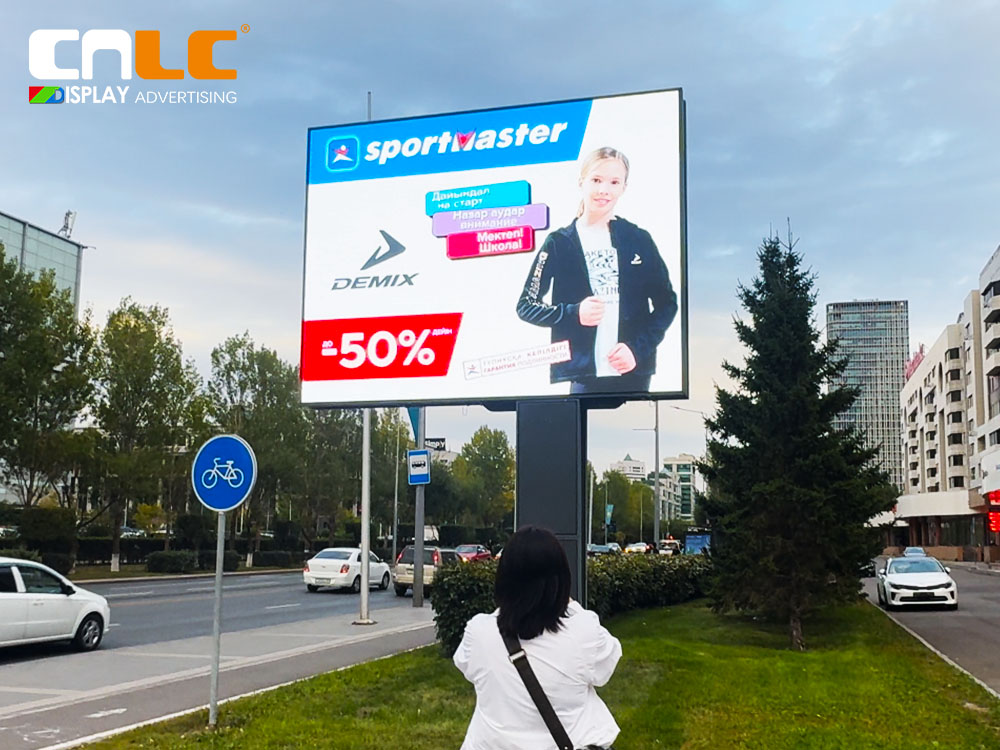
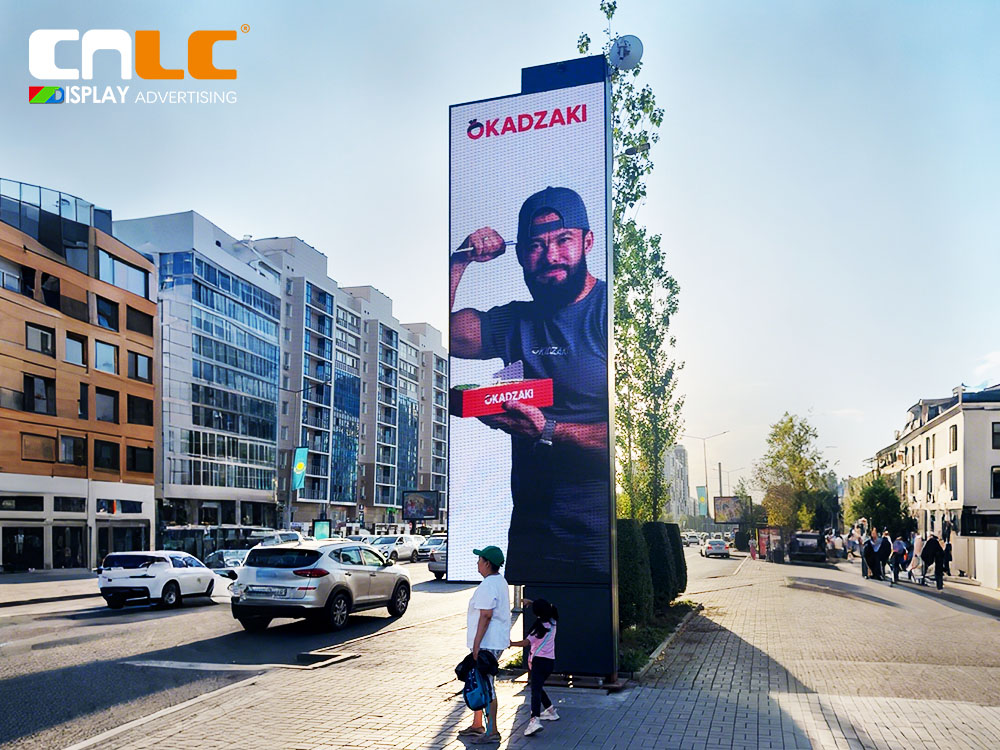
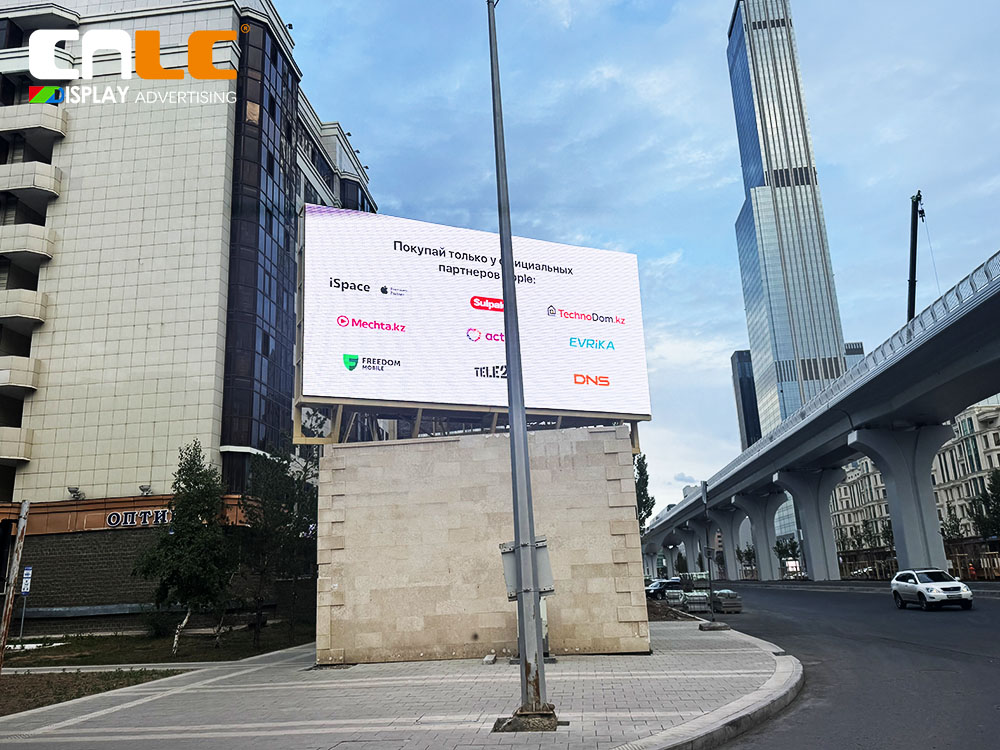
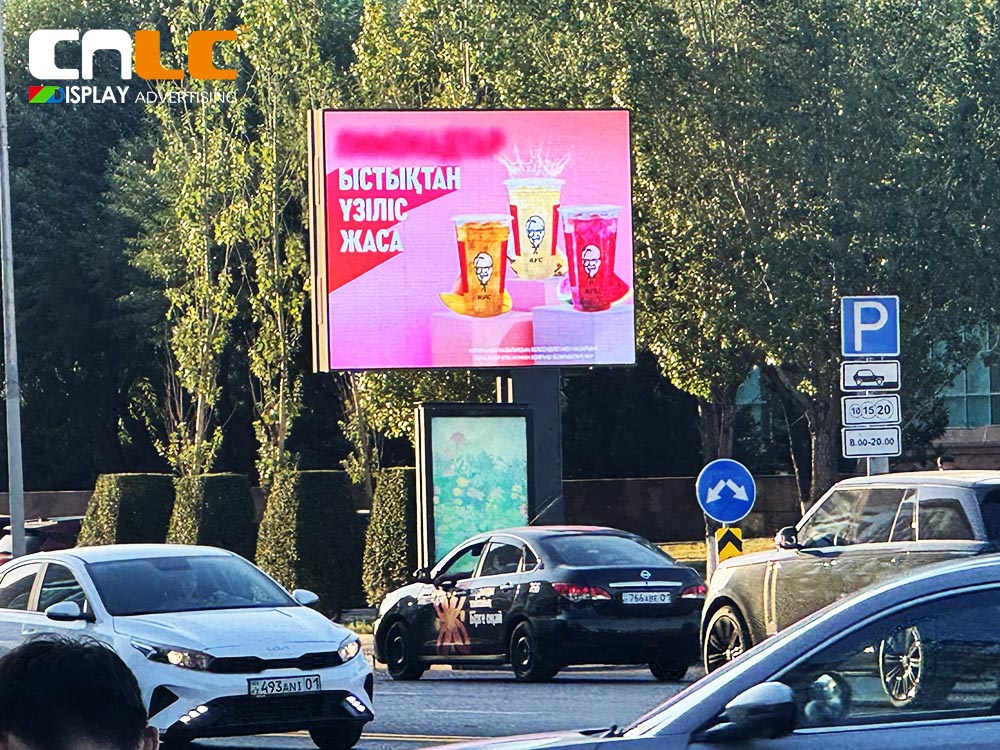
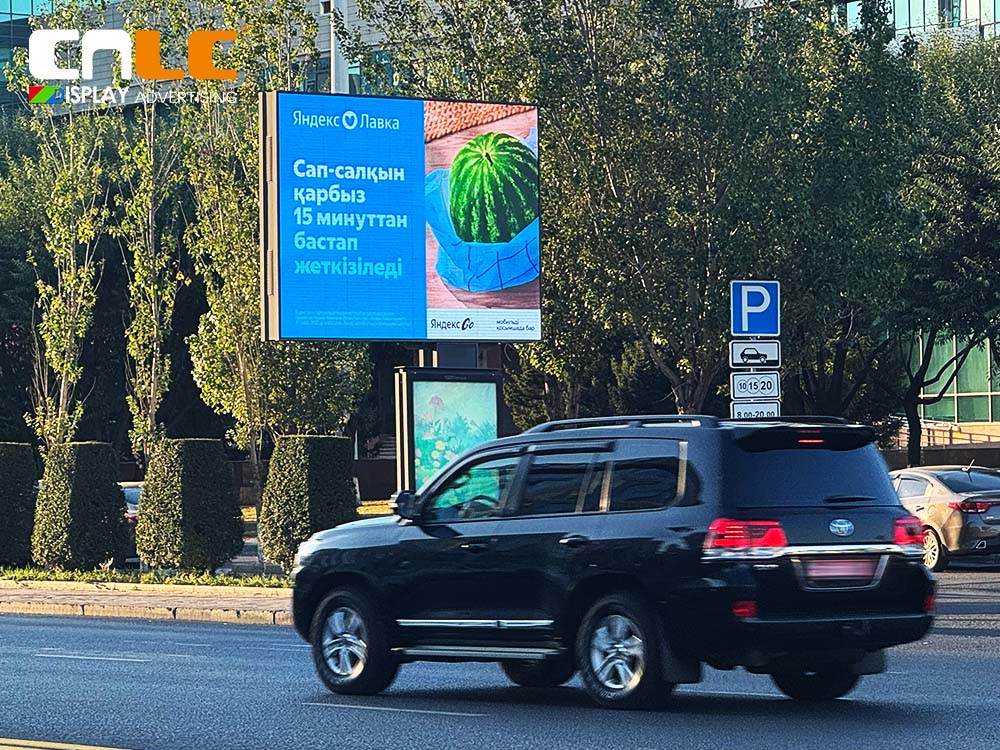
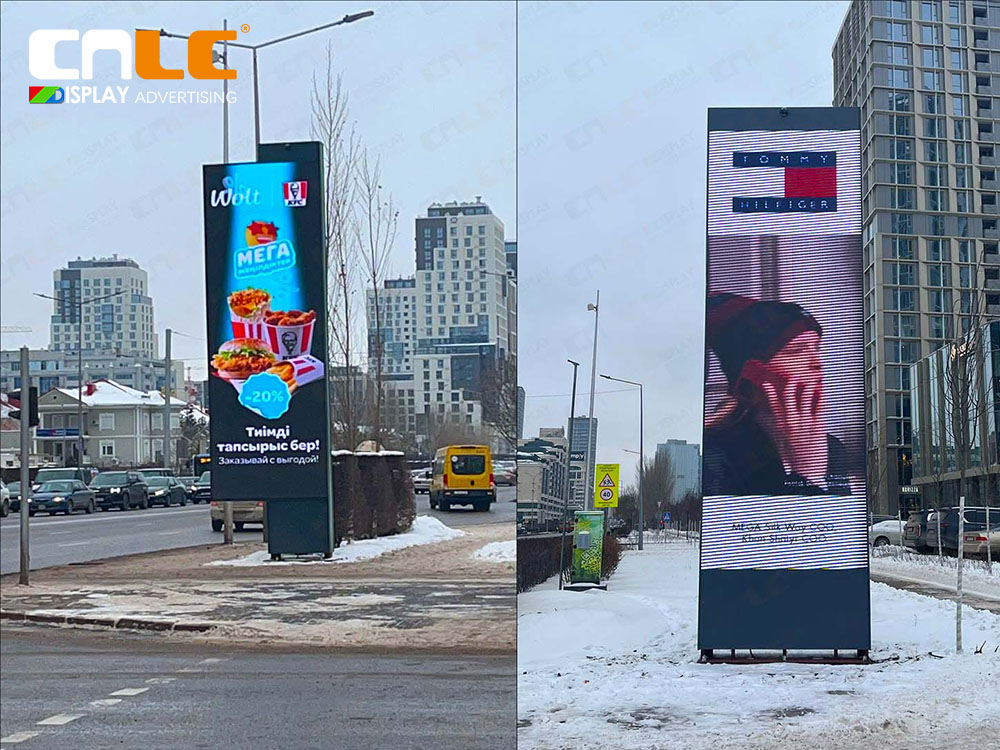
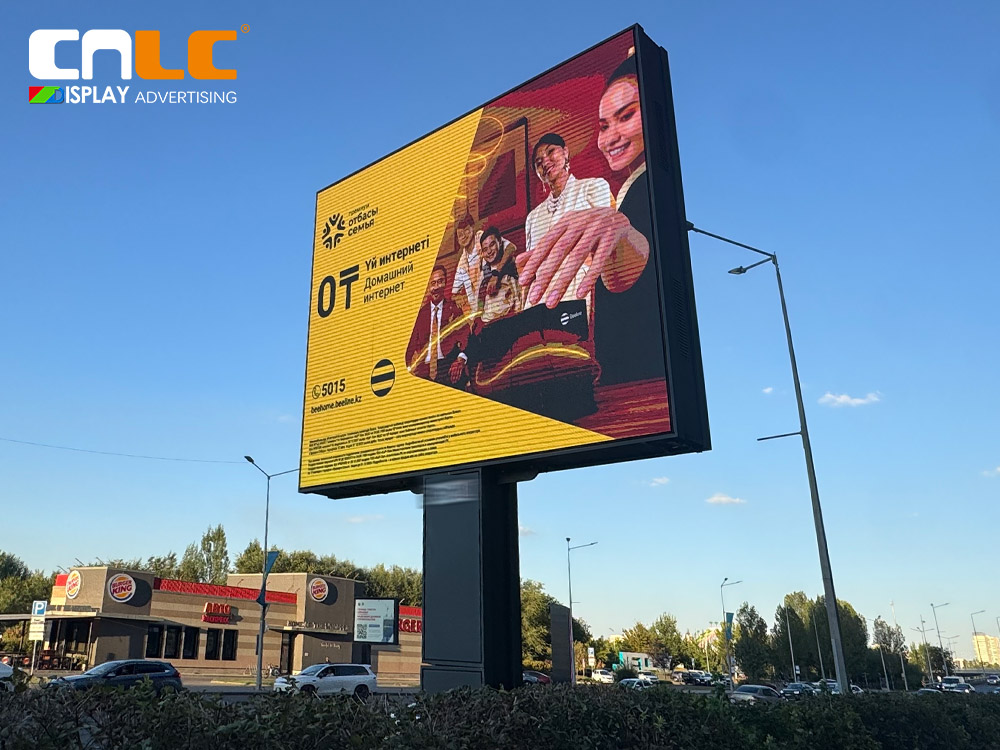
In 2023, CNLC successfully launched a large-scale outdoor LED billboard project across several cities in Central Asia, collaborating with leading DOOH media companies. This strategic partnership allowed CNLC to deploy 50+ high-performance LED displays, including multiple models and sizes, to meet diverse advertising needs for urban branding, commercial campaigns, and public messaging.

Over the past two years, CNLC’s outdoor digital signage solutions have proven highly reliable, demonstrating outstanding performance under the region’s challenging climate conditions.


Project Details


For this project, CNLC deployed three core products:

  • 4×3m P4 High-Resolution LED Billboard

  • 7.5×1.92m Outdoor LED Billboard

  • Fixed Large LED Screen


All displays feature aluminum structure designs, offering lightweight, corrosion-resistant, and durable performance ideal for outdoor environments. The high-brightness LED displays (up to 5500 nits) ensure excellent visibility even in direct sunlight, while intelligent cooling and temperature control systems maintain stable operation and prolong lifespan.

The screens also support remote management and smart control, allowing media operators to update content, monitor performance, and perform maintenance efficiently, reducing operational costs while improving advertising impact.

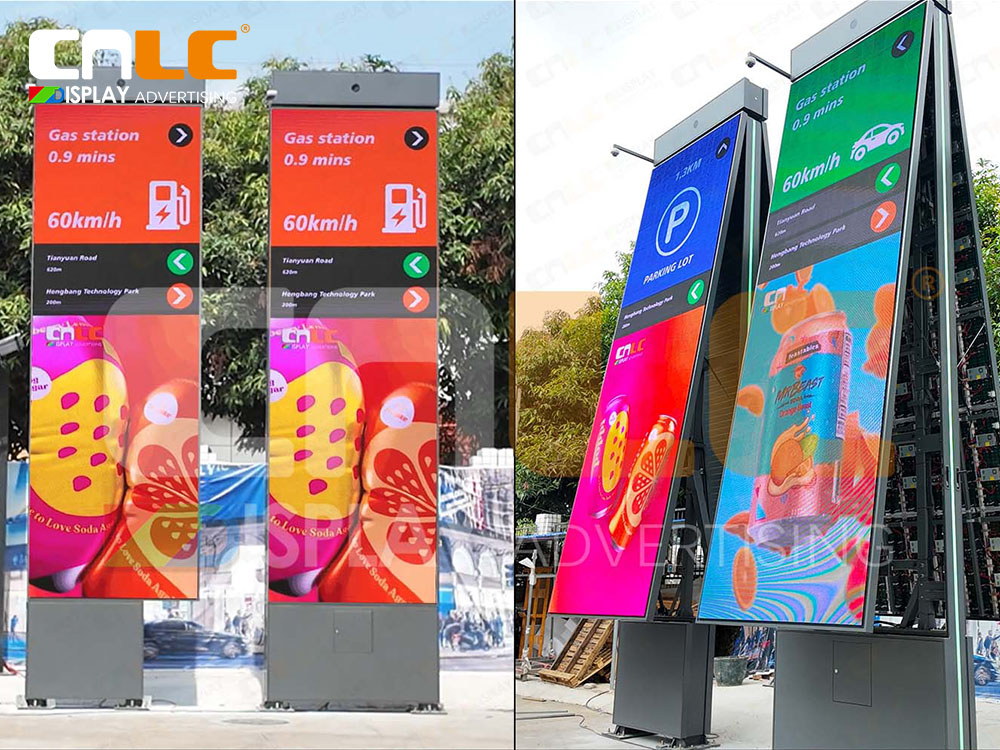
  • 4x3m P4 high-resolution LED billboard running outdoor digital ads on roadside
  • Outdoor LED billboard installed on city street in Central Asia for DOOH advertising
  • Fixed installation outdoor LED screen for urban advertising in Central Asia

Performance After Two Years


After two years of continuous operation, these outdoor LED billboards have maintained high reliability and consistent performance:

  • All-weather operation: Reliable under extreme heat, freezing temperatures, heavy rain, and dust storms.

  • Effective advertising: Used by media companies for brand promotion, commercial campaigns, and city information, maximizing audience engagement.

  • Positive feedback: Easy maintenance, stable content display, and high ROI for advertising partners.

These results highlight CNLC’s commitment to delivering durable and high-quality outdoor digital signage solutions.


Digital out-of-home (DOOH) LED billboard installed on busy street corner

  • Aluminum structure outdoor LED billboard ensuring durability and reliable operation
  •  7.5m x 1.92m outdoor LED billboard showing dynamic advertising content
  • CNLC outdoor LED billboard in daytime street operation for advertising campaigns


Key Advantages of CNLC Outdoor LED Billboards


  • Durable Aluminum Structure
    The aluminum body provides strength, corrosion resistance, and lightweight durability — a key factor for long-term outdoor use.

  • Multiple Models for Diverse Applications
    From 4×3m high-resolution LED billboards to 7.5×1.92m outdoor LED billboards and large fixed screens, CNLC covers a wide range of DOOH applications.

  • High-Brightness, Energy-Efficient Displays
    5500 nits high-brightness LED displays ensure clear visibility day and night, while intelligent cooling optimizes energy efficiency.

  • Smart Remote Control and Easy Maintenance
    Centralized remote management enables media operators to efficiently control content, monitor performance, and maintain screens with minimal effort.

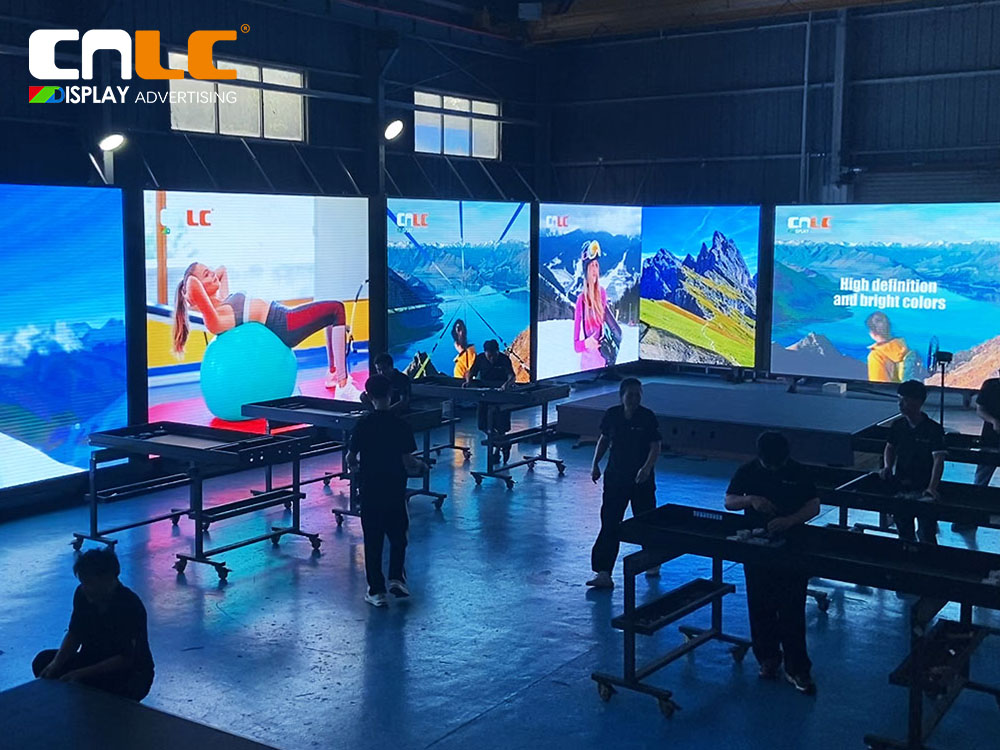
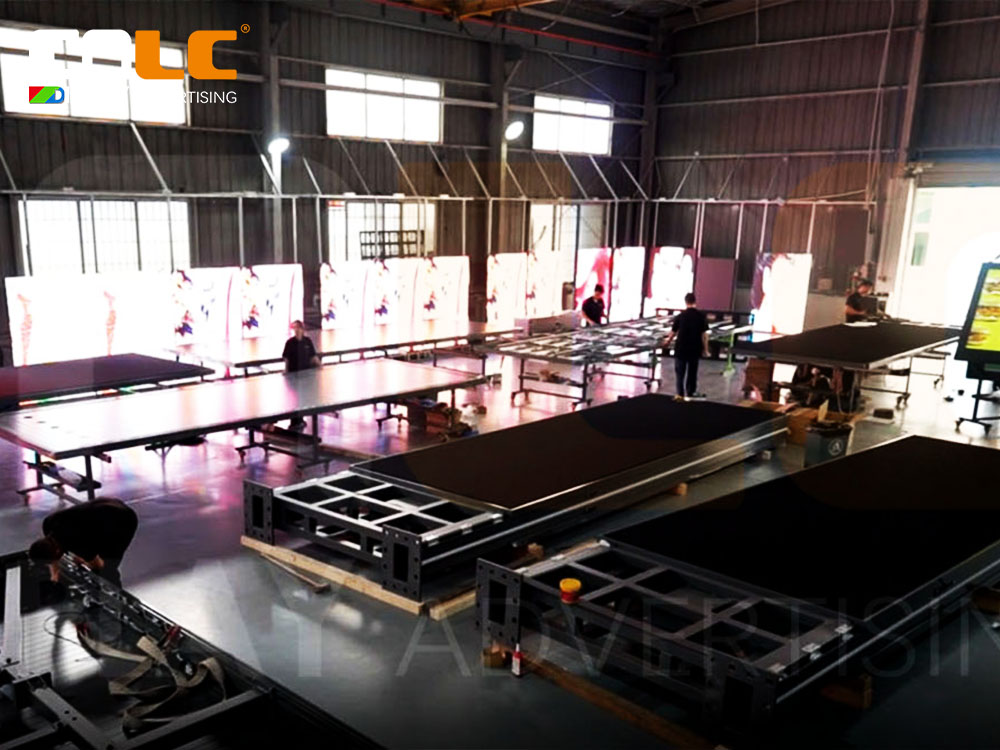
  • CNLC factory production line for outdoor LED billboard, aluminum structure assembly
  • CNLC technicians assembling outdoor LED display modules with precision aluminum structure
  • CNLC factory LED display aging test to ensure stable performance and brightness

Project Significance


This project demonstrates CNLC’s expertise in delivering outdoor digital signage solutions in Central Asia:

  • For media companies: Efficient, reliable LED billboard systems that enhance advertising reach and ROI.

  • For cities: Modern, high-visibility digital signage that enhances urban branding and public messaging.

  • For CNLC: Proof of long-term reliability across multiple cities and challenging climates, creating a reference for future international projects.


Conclusion


The CNLC 2023 outdoor LED billboard project in Central Asia has successfully operated for two years, showcasing high performance, durability, and reliability. With aluminum-structured LED billboards, multiple models, and smart management systems, CNLC continues to provide trustworthy and efficient DOOH solutions for media partners and cities worldwide.

👉 Learn more about CNLC outdoor LED billboard and digital signage solutions: www.cnlcdisplay.com

The screen is the “face” of any outdoor advertising display, yet operators often face common issues: harsh sunlight causes strong glare, rain blurs the content, and accidental impacts risk glass breakage.

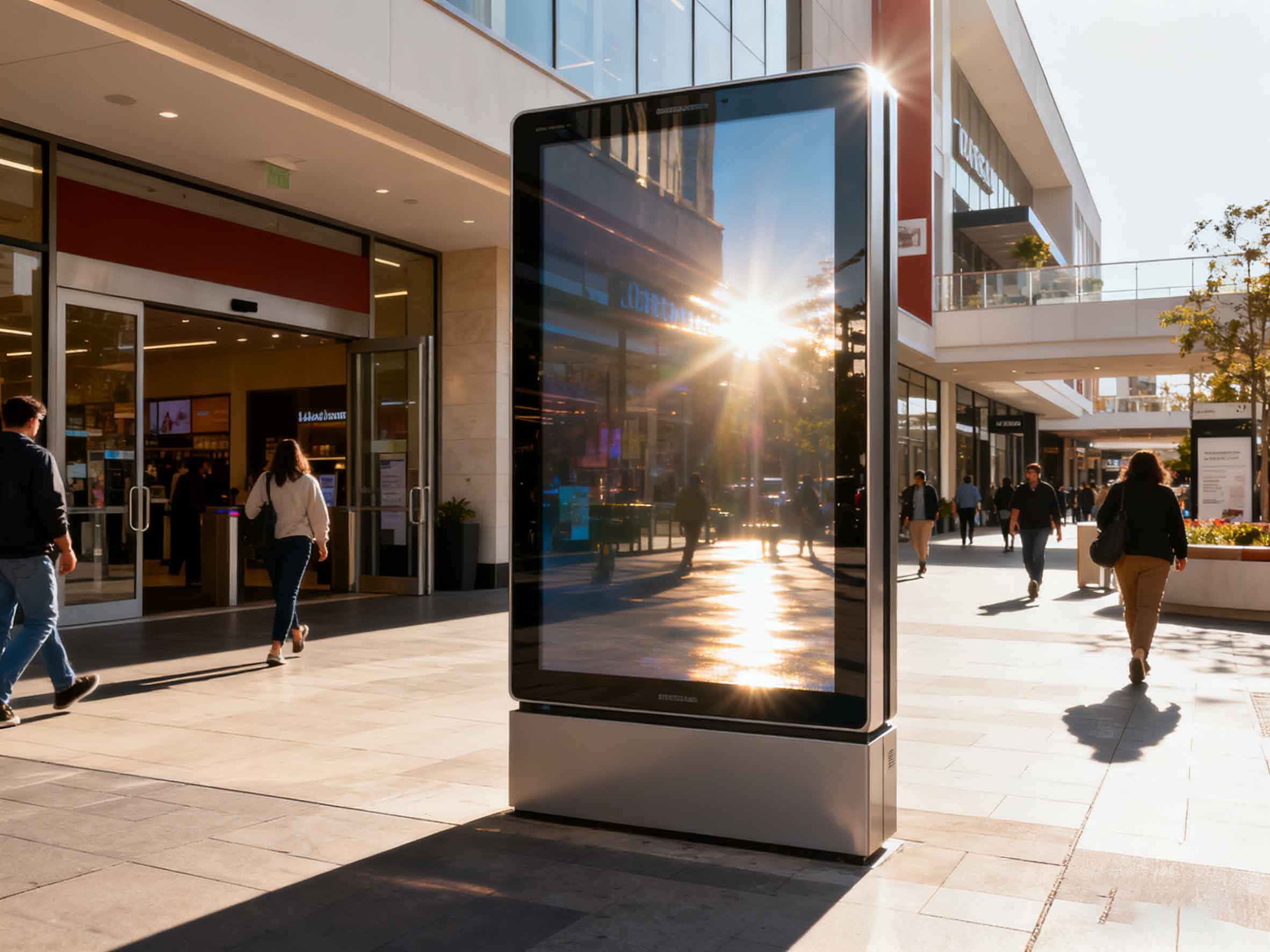
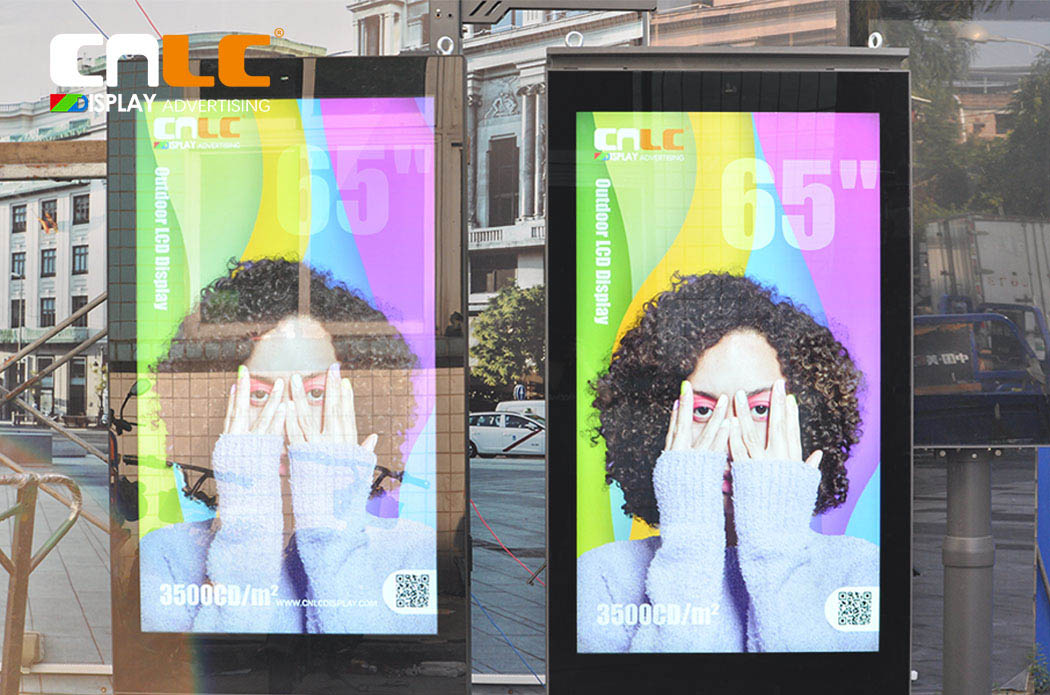
  • Outdoor digital signage anti-glare screen – readable display under direct sunlight
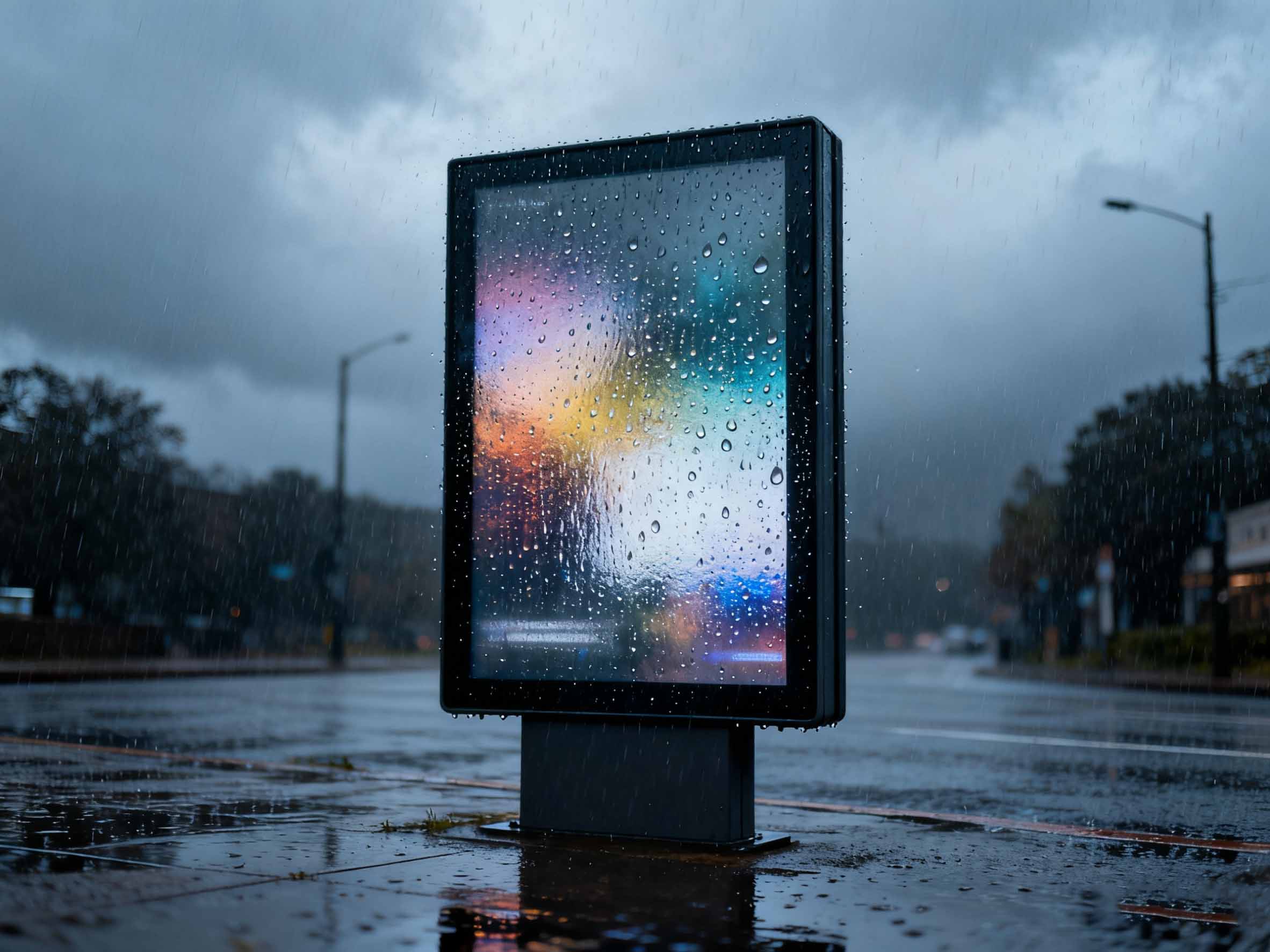
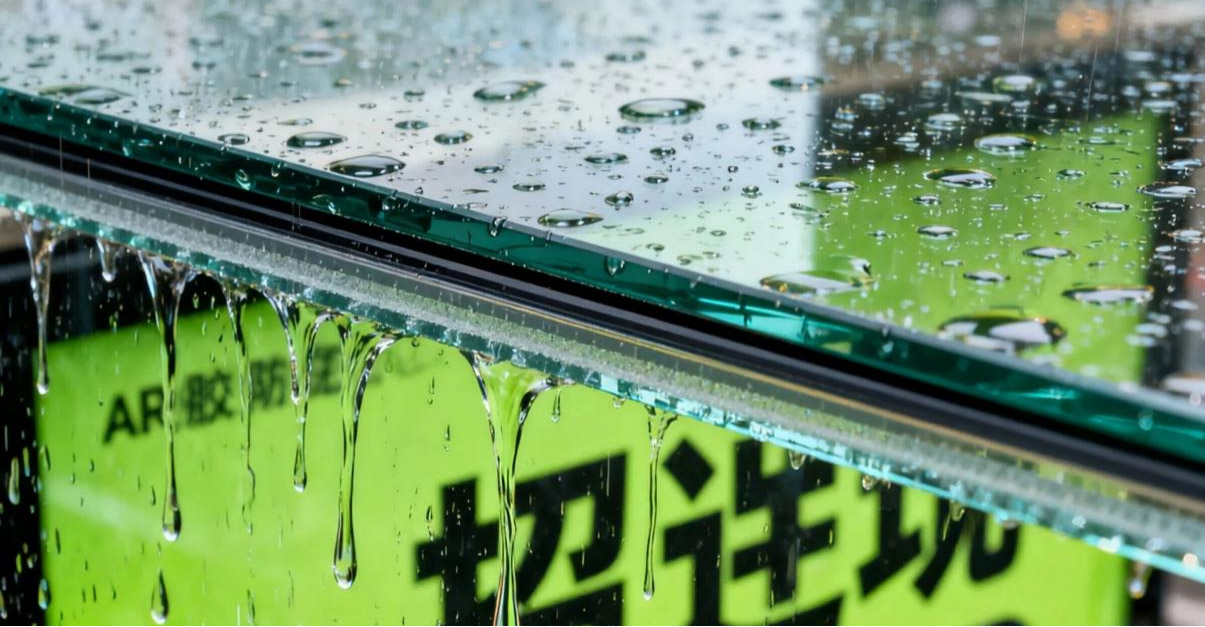
  • Outdoor advertising display waterproof test – clear visibility even in heavy rain conditions
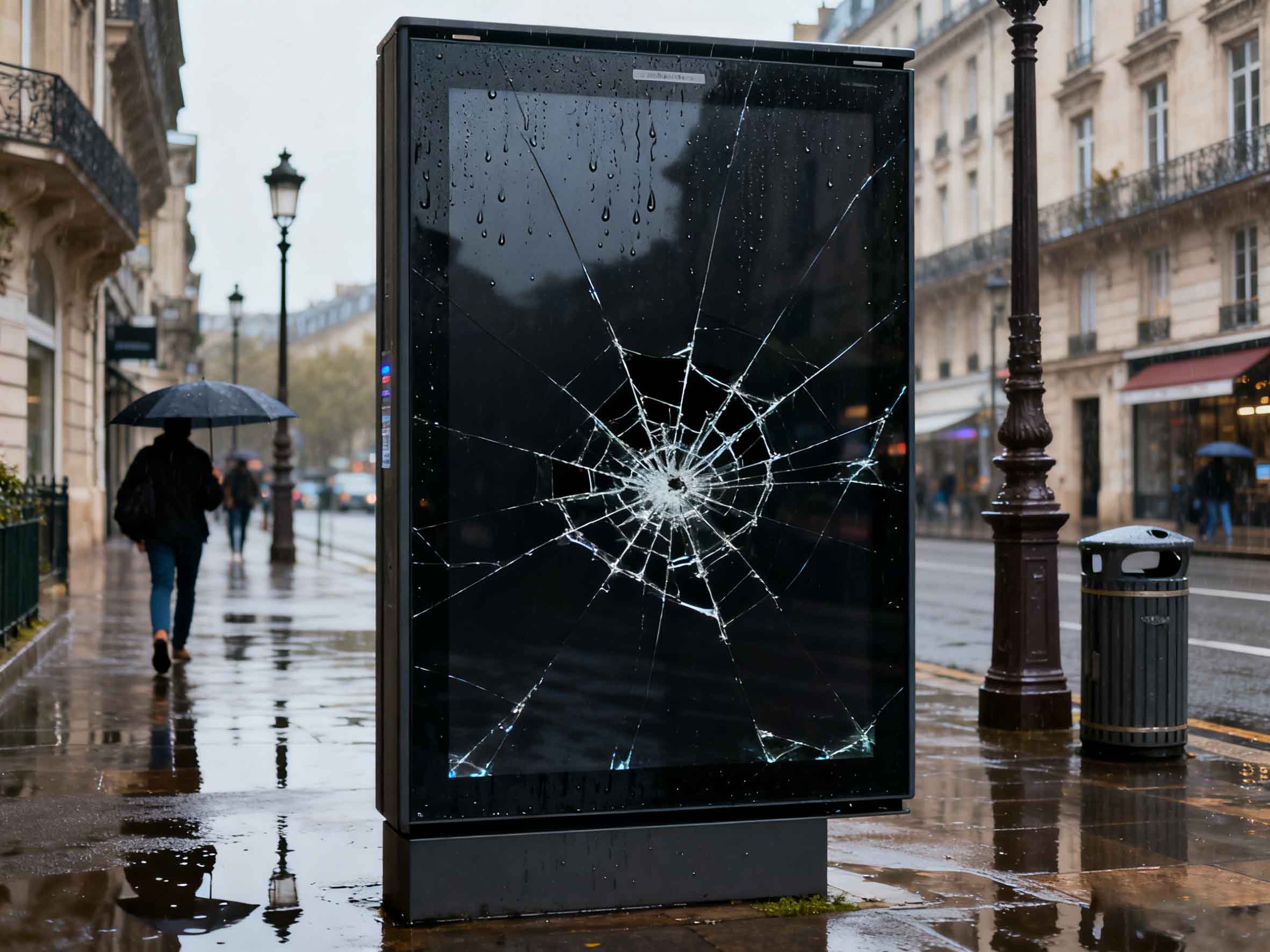
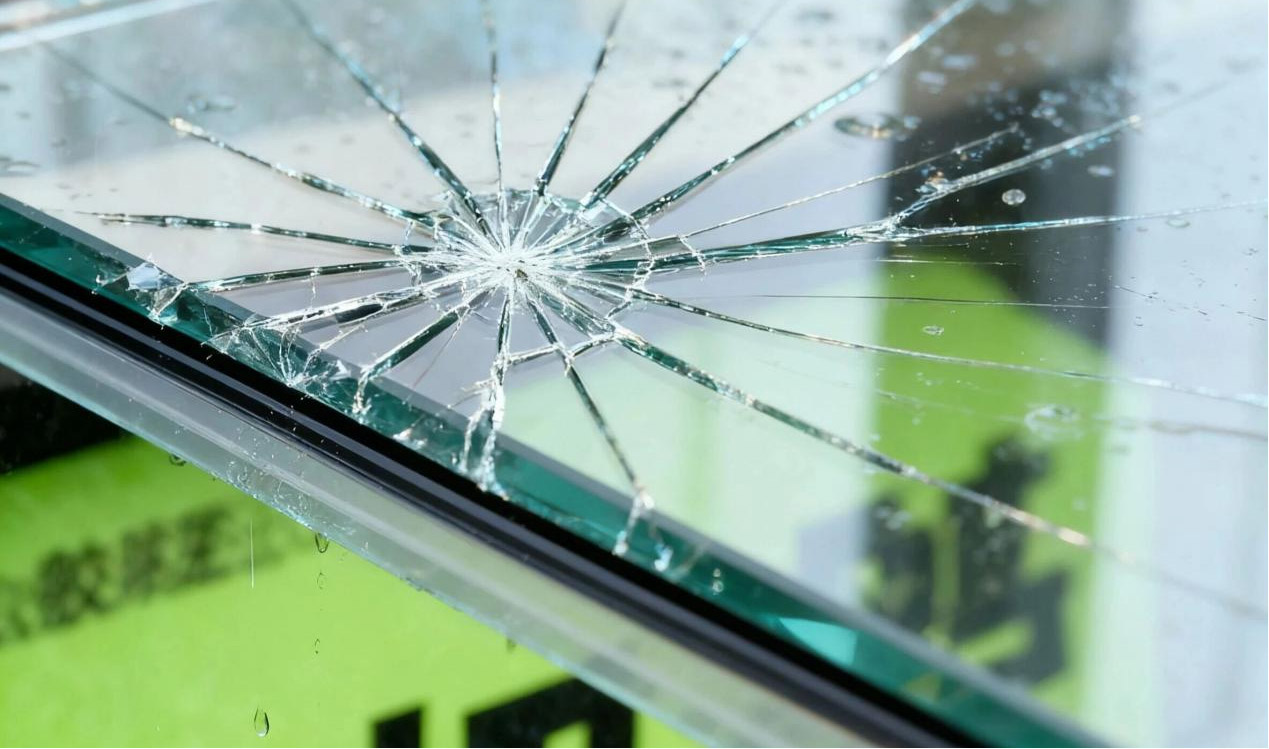
  • Broken outdoor advertising display vs laminated glass – impact resistance protection


CNLC offers Anti-Reflective (AR) Laminated Glass as an optional solution for its outdoor digital signage displays, designed to overcome these challenges and ensure clear, safe, and reliable performance in all conditions.


Clear Visibility Under Sunlight: Anti-Glare Design


Standard glass reflects up to 8% of sunlight, turning the screen into a mirror. CNLC’s anti-reflective laminated glass uses multi-layer AR optical coating and AG etched surface to:

  • Reduce reflectivity to below 3% while maintaining >85% light transmittance.

  • Deliver sharp and vibrant content even under direct midday sunlight.

  • Minimize glare spots at side angles, enhancing viewer comfort and advertising impact


CNLC outdoor advertising display – durable waterproof and sunlight readable digital signage


Crystal Clear in Rain: Hydrophobic & Anti-Fog Protection


Rainwater often creates a blurry film on regular glass, making outdoor advertising screens unreadable. CNLC’s AR laminated anti-glare glass solves this with:

  • Hydrophobic coating: raindrops roll off like on lotus leaves, preventing water films.

  • Laminated structure: dual glass layers with resin interlayer block moisture and condensation, ensuring the display stays clear even in heavy rain.


Hydrophobic glass outdoor advertising display – anti-fog coating for clear visibility


Durable & Safe: Impact-Resistant and Scratch-Proof


Outdoor conditions expose displays to accidental impacts and scratches. CNLC’s laminated anti-reflective glass ensures safety and durability:

  • Impact resistance: the resin interlayer holds shattered pieces together, preventing hazards while keeping the display functional.

  • Scratch resistance: with a 7H surface hardness, the glass withstands daily cleaning and dust abrasion without visible marks.


Laminated glass outdoor advertising display – durable and shatter-resistant design


Conclusion

Choosing the right protective glass is essential for effective outdoor digital signage. CNLC offers anti-reflective laminated glass as an optional upgrade, giving operators the flexibility to enhance clarity, durability, and safety based on project needs. Whether under bright sunlight, rainy weather, or unexpected impacts, your outdoor advertising display will remain clear, stable, and reliable.

keyboard_arrow_up