Today, a customer who has been working with us for two years asked this question.

UID card and Mifare Classic 1K card are two different types of smart cards, which differ in design and function:

Storage structure: Mifare Classic 1K card has 1KB of storage space, divided into 16 sectors, each sector contains 4 blocks, each block is 16 bytes. Block 0 of sector 0 usually contains the manufacturer UID code as the card identification code. UID card is a common copy card, which can repeatedly erase and write all sectors, but it may fail if the access control system has a firewall.

Security: Sector 0 of Mifare Classic 1K card cannot be modified, and other sectors can be repeatedly erased and written. It has 4 main permissions: read, write, increment, decrement, and 2 additional permissions: read and write control code, read and write A/B password. These permissions require the use of A or B password and operate under the constraints of the control code.

Use: Mifare Classic 1K card is usually used for access control cards, elevator cards, etc., while UID card may be used in some scenarios that do not require high security. The design of the Mifare Classic 1K card includes security considerations, such as using passwords to protect access to sectors.

Special types: There are different types of cloned cards, such as CUID, FUID, and UFUID, which provide different levels of security and features. For example, CUID cards can penetrate most firewalls, while UFUID cards become M1 cards after sealing the card, and UID cards if the card is not sealed.

get more RFID reader deatils from www.s4a-access.com  quickly.
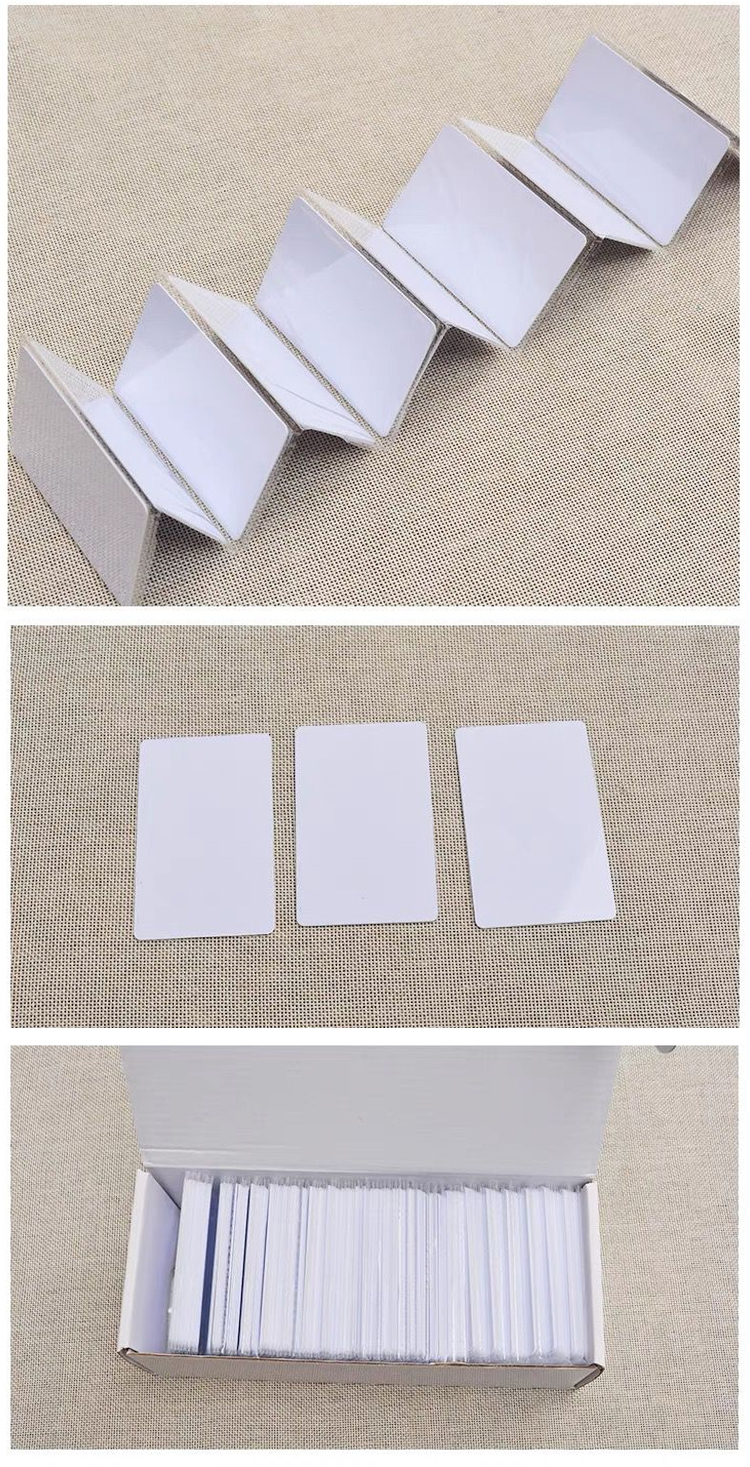

UID cards

UID and BCC: Mifare Classic 1K cards, like other MIFARE cards, have a UID (Unique Identifier) and a BCC (Block Check Code). The BCC is a checksum of the UID, and if not configured correctly, it may cause the card to be undetectable, i.e. "bricked".

Modifiability: Some MIFARE cards, known as "Magic" cards, allow the manufacturer block to be modified, which is not allowed in the original card. However, if Block 0 is not configured correctly, the card may be "bricked", i.e. irreversibly damaged.

Technical cracking: Mifare Classic was cracked in 2008. If the KEY of any segment in the card is known, all KEYs can be obtained through simple brute force. But many cards used in formal occasions do not use the default key
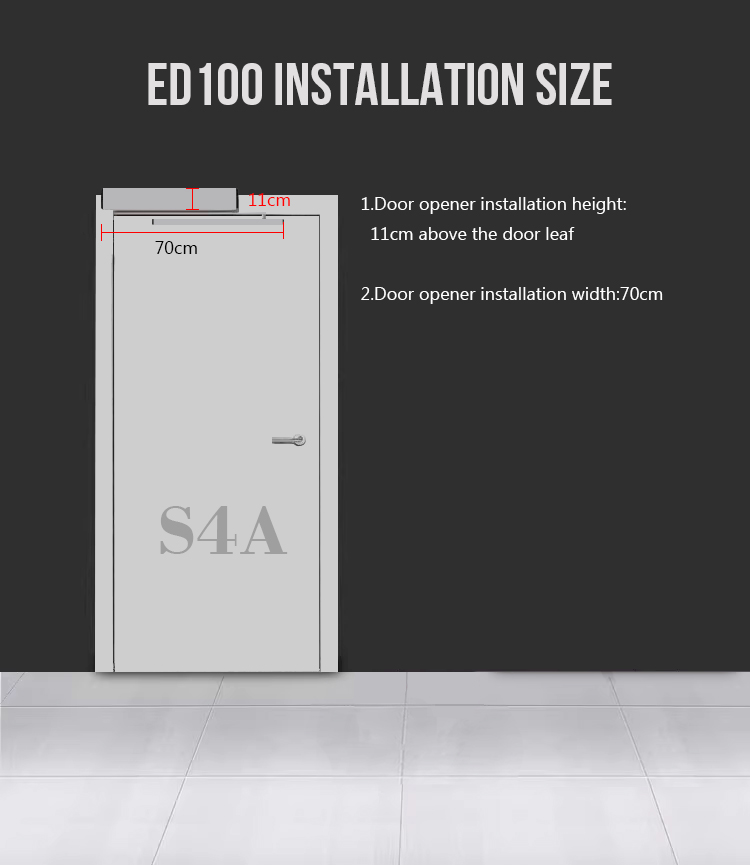
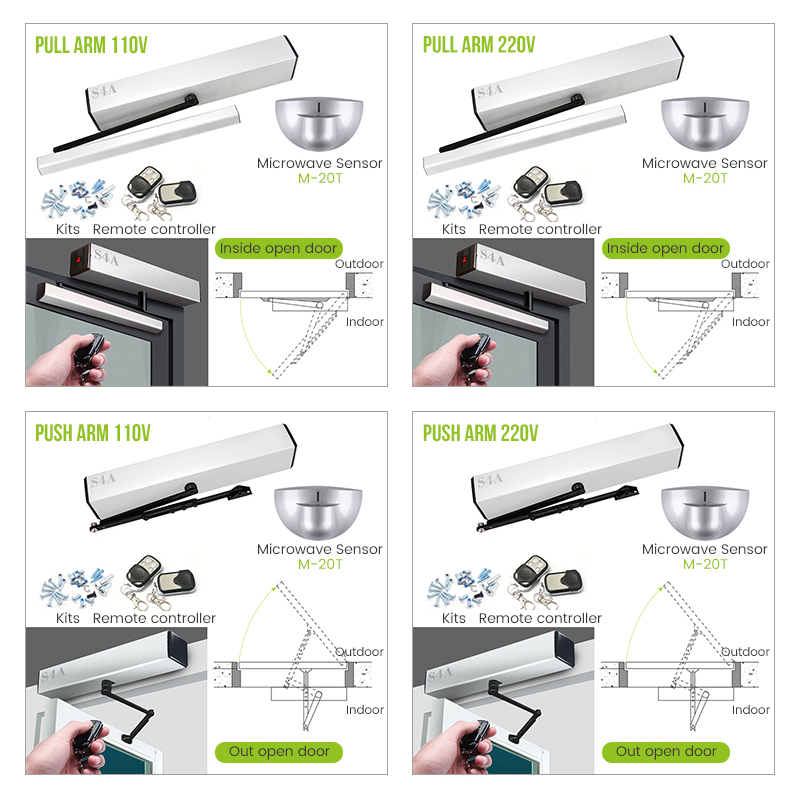
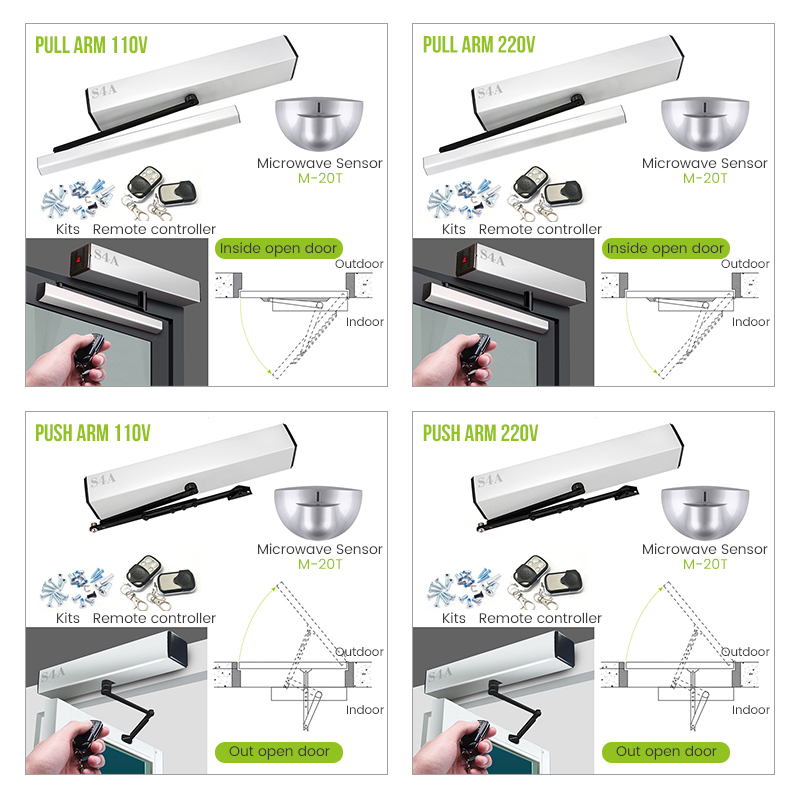
Why do we need to install a 90-degree automatic gate opener? What are the advantages? Several new customers have recently asked the same question about automatic door openers.

here are three of the biggest advantages of a 90-degree automatic swing gate opener:

Enhanced Accessibility: A 90-degree automatic sliding gate opener provides a wider opening than traditional doors, allowing for easier access for people with disabilities, such as those in wheelchairs, as well as those pushing strollers or carrying bulky items. This can be especially beneficial in public spaces like hospitals, airports, and shopping centers.

Improved Safety: Automatic doors, including 90-degree openers, can help reduce the risk of accidents caused by manual doors. They eliminate the need for individuals to physically push or pull the door open, which can lead to slips, trips, and falls. Additionally, automatic doors can be equipped with sensors that detect the presence of people or objects in the doorway, helping to prevent collisions and injuries.

Increased Efficiency: In high-traffic areas, manual doors can create bottlenecks and slow down the flow of people. A 90-degree automatic door opener can help alleviate this issue by allowing for a smoother and more efficient traffic flow. This can be especially important in commercial settings, such as retail stores, where a fast and efficient customer experience is crucial. Additionally, automatic doors can be programmed to open and close at specific times, helping to conserve energy and reduce costs.


automatic swing gate openers


How do 90-degree automatic door openers differ from other types of door openers in terms of design and functionality?

90-degree gate opener system differentiates from other types of door openers in several ways, particularly in their design and functionality:

Opening Mechanism: The most obvious difference is the opening angle. A 90-degree automatic door opener swings the door open to a full 90-degree angle, unlike sliding door systems or revolving doors, which move differently.

Space Requirements: Due to the 90-degree swing, these openers require sufficient space on one side of the door for the door to open fully without obstruction. This contrasts with sliding door systems, which do not require additional lateral space.


automatic swing gate openers


Energy Efficiency: Some 90-degree automatic door openers are designed with energy-saving features, such as motion sensors that activate the door only when needed, reducing unnecessary energy consumption compared to continuously powered systems.

Integration with Security Systems: They can be integrated with access control systems for added security, allowing the door to open only for authorized individuals. This level of integration might vary with other door opener types.

Sensor Technology: 90-degree automatic door openers often utilize advanced sensor technology to detect the presence of people or objects, ensuring safe operation and preventing the door from hitting anything during its swing.

Aesthetics: The design of a 90-degree gate automatic opening system can be more streamlined and less obtrusive than other types, especially when considering the visibility and aesthetics of the mechanism.

automatic swing gate openers

Maintenance: The maintenance requirements for a 90-degree sliding automatic gate opener kit can differ from other types. For instance, hinged doors may require less maintenance than sliding or folding door systems, which have more moving parts.

Weather Resistance: Some models are designed to withstand various weather conditions, ensuring reliable operation even in adverse climates, which might be a consideration not as prevalent with indoor-only door systems.


Each type of swing gate operator is suited to different applications based on the specific needs of the building or space they are intended for. The choice of door opener will depend on factors such as available space, traffic flow, security requirements, and environmental conditions.


If you wanna know more products or require any additional information, pls kindly contact us as below:


S4A INDUSTRIAL CO.,LIMITED

Contact Sales: Ms Anna Zhang

Tel:+86 755 29450011 EXT: 608

Mob/whatsapp/Viber +86 134 10500721

Skype:crypton0908

Email: sales1@s4a-access.com


If there is a trip or power outage, it is generally caused by excessive power consumption, short circuit or wrong wiring, or improper settings.

Because the limit switch is disconnected when the door is opened, the control circuit is open and causes tripping. This is a protective function.


automatic swing door opener

The reason why the 90-degree automatic door opener suddenly tripped may be excessive power consumption. When the power consumption of a device or system exceeds the carrying capacity of the circuit or power supply, to protect the Door opener and power supply from damage, the automatic tripping mechanism will be triggered, thereby cutting off the power supply to prevent the device or system from being damaged due to overload. In this case, checking and reducing power consumption is an effective solution. In addition, ensuring that the carrying capacity of the power supply and circuit matches the actual power consumption of the equipment is also an important measure to prevent tripping.


3main reasons:

1. Circuit fault causes the electric door to trip

2. Switch fault causes electric door to trip

3. Electric door motor overload causes the trip


The I2C Interface

Capacitive touch screens usually use the I2C (Inter-Integrated Circuit) interface to communicate with the motherboard.  

The I2C interface provides a convenient and relatively simple way for capacitive screens to enable bi-directional communication between the touch screen and the motherboard through two lines (SDA and SCL).

This connection can be made directly on the FPC. I2CC is a bit more required  and needs some programming and writing I2C support code to use the device with the controller.

The USB Interface

USB (Universal Serial Bus) is a universal and widely supported interface standard that can achieve fast and stable data transmission between various devices.

This design of this interface enables the capacitive touch screen to be connected to computers, tablets, smartphones and other devices via USB to achieve touch input and data interaction with the motherboard.

The main advantage of USB is the plug-and-play. Operating systems such as Windows and Linux will be equipped with relevant USB drivers to operate the device. There is a choice of ZIF (direct to FPC) or USB 4-pin connection.

How to Choose the I2C or USB Interface?

Choose I2C Interface

Simplify Connection

If you want the system connection to be simpler, the I2C interface only requires two wires (SDA and SCL). Compared with the USB interface, the connection is simpler.

Low Power Consumption

The I2C communication protocol usually has lower power consumption and may be more suitable for some devices with higher power consumption requirements.

Suitable for Embedded Systems

The I2C interface is suitable for embedded systems and can provide more flexible solutions for some small electronic devices and embedded applications.

Multi-device Connection

The I2C bus supports multiple device connections, so multiple I2C devices can be easily integrated into the same system.

Low Cost Design

If system cost is a constraint, the I2C interface is usually a lower-cost option.

Choose USB Interface

High Speed of Data Transfer

If the application requires a higher data transfer rate, especially for images, videos and other large data volume applications, the USB interface may be more suitable, especially USB 3.0 and above.

Broad Compatibility

USB is a universal interface standard that is supported by almost all computers and many other devices. If your device needs to connect to multiple devices, USB provides wider compatibility.

Power Supply

The USB interface can provide power supply, which is an advantage for some devices and can simplify power management.

Complex Human-machine Interface

Applications need to support complex human-machine interfaces, such as multi-touch, gesture recognition and other functions. USB interface is usually more suitable.

Desktop or Laptop Applications

The USB interface is more suitable for connecting to personal computer devices such as desktop computers and laptops.

Features/parameters USB Interface I2C Interface
Data transfer rate High, especially USB 3.0 and above Relatively low, depending on the specific I2C rate
Power supply Provide power supply Normally no power supply provided, additional power cord required
Connection complexity Relatively complex, requiring multiple pins and cables Simplified connections, only two wires (SDA and SCL)
Compatibility Widely compatible, almost all devices support USB Suitable for embedded systems, more flexible devices that need to support I2C
Power consumption Usually higher Usually lower
Human-machine interface support Suitable for complex human-machine interface, multi-touch, etc. Suitable for some basic touch interactions
Multi-device connection Requires additional equipment to support USB hub, etc. I2C bus supports multiple device connections
Cost Usually higher Usually lower
Application  Desktop computers, laptops, etc. Embedded systems, small electronic devices, etc.
Table 1. Comparison of I2C and USB interfaces

Summary

The choice between I2C and USB depends on the specific requirements of the application. I2C is often preferred in embedded systems and scenarios where simplicity and lower data rates are acceptable, while USB is chosen for high-speed data transfer, power delivery, and compatibility with a wide range of devices.

In addition to standard CTP with I2C or USB interface, CloudSense OptiTech has integrated I2C and USB solutions in capacitive touch panel. It’s easy to use and for future changes, please contact us for more information.

     The vacuum of space poses a uniquely hostile environment for most materials, including permanent magnets. With no atmosphere, extreme temperature fluctuations, and exposure to cosmic radiation, space presents a significant challenge to the structural integrity and performance of magnetic materials. Strong neodymium magnetic material, widely known for their strong magnetic properties and compact size, are increasingly used in aerospace and satellite technologies—but how do they maintain performance under such extreme conditions?


Understanding the Challenges


     In vacuum environments, especially in space, temperatures can swing drastically—from below -150°C in shadow to above +150°C in direct sunlight. Such variations can cause conventional magnets to lose strength or even suffer permanent demagnetization. Furthermore, the absence of atmospheric pressure means that many protective coatings used on Earth may degrade or outgas, releasing harmful vapors that can contaminate sensitive spacecraft components.


High temperature resistant magnet


Advanced Materials and High-Temperature Grades


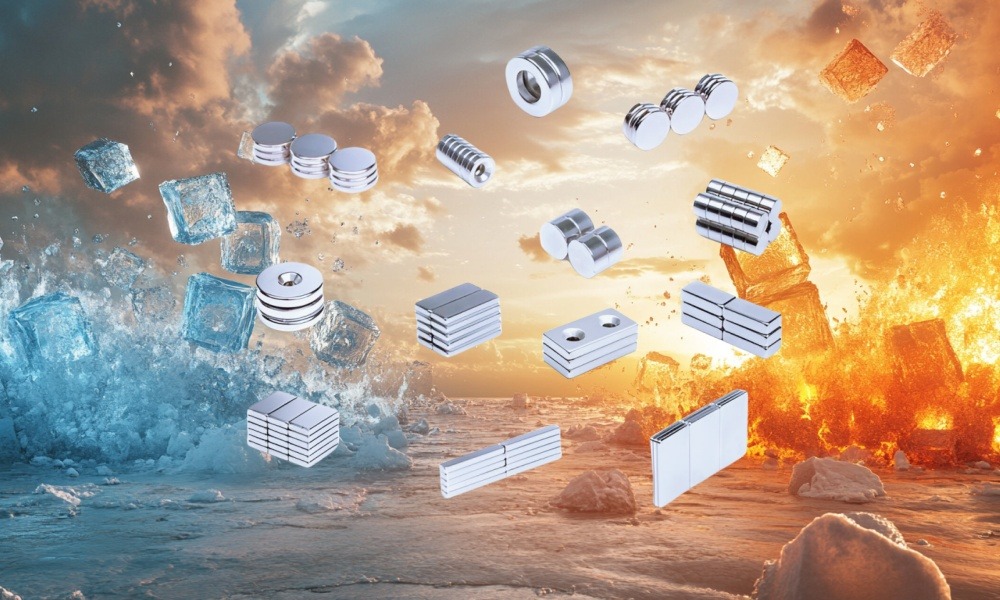
     To overcome these challenges, manufacturers turn to high performance neodymium magnet grades such as H (High), SH (Super High), and UH (Ultra High). These magnets are engineered with higher intrinsic coercivity, allowing them to resist demagnetization at elevated temperatures. In some advanced applications, the addition of elements like dysprosium or terbium helps further enhance temperature stability.


Vacuum-Compatible Coatings and Encapsulation


     Coating technology plays a critical role in protecting neodymium magnets in vacuum. Standard coatings like nickel-copper-nickel may not be suitable due to potential outgassing. Instead, vacuum-compatible coatings such as parylene, gold, or special polymers are used. In some cases, the magnets are hermetically sealed within titanium, stainless steel, or aluminum housings to provide a long-lasting barrier against oxidation and environmental stress.


custom coating neodymium magnets

Applications in Aerospace and Space Exploration


     Neodymium magnets are essential components in satellite control systems, reaction wheels, magnetic torquers, electric propulsion mechanisms, and robotic arms. Their high energy product (BHmax) enables powerful magnetic performance even when miniaturized—an important advantage for spacecraft design where every gram counts.


Future Outlook


     As aerospace and space missions become more ambitious, the demand for durable high strength magnets will continue to grow. Technological advances in material science, coating development, and magnet design are enabling neodymium magnets to operate reliably in some of the harshest environments imaginable.


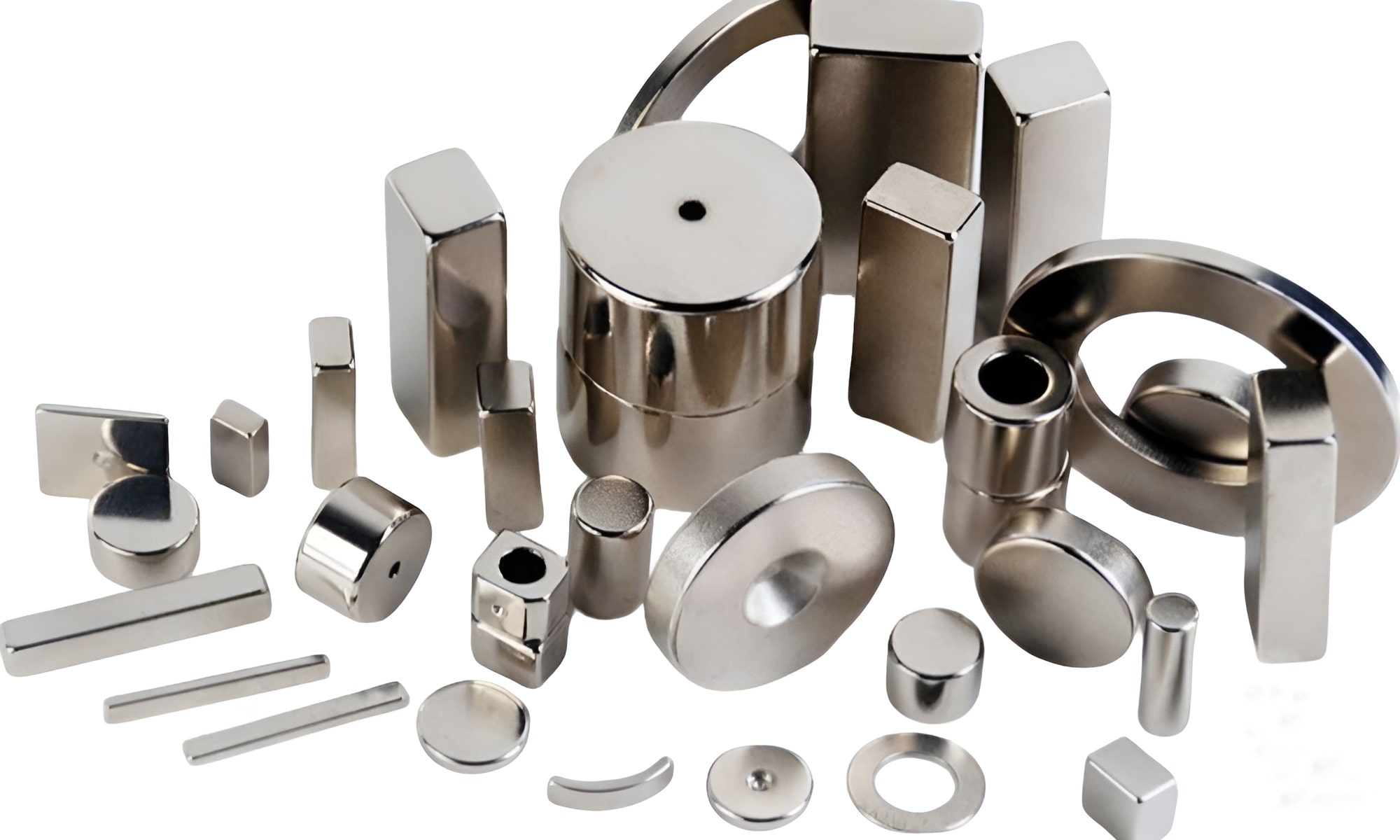
custom size rare earth magnets


     Looking for magnetic solutions tailored to your space-grade requirements? Contact our team for expert guidance and custom development options.


keyboard_arrow_up